Four-eyes approval for incoming invoices
 Robert Reiz | | 06:47 UTC
ZEIT.IO, the time tracking and invoicing software for freelancers, agencies and small businesses, now has approval requests for incoming invoices. Whoever uploads an invoice picks the approvers right on the invoice page, and they receive an email with a link. Combined with separate permissions, this gives you an enforced four-eyes principle.
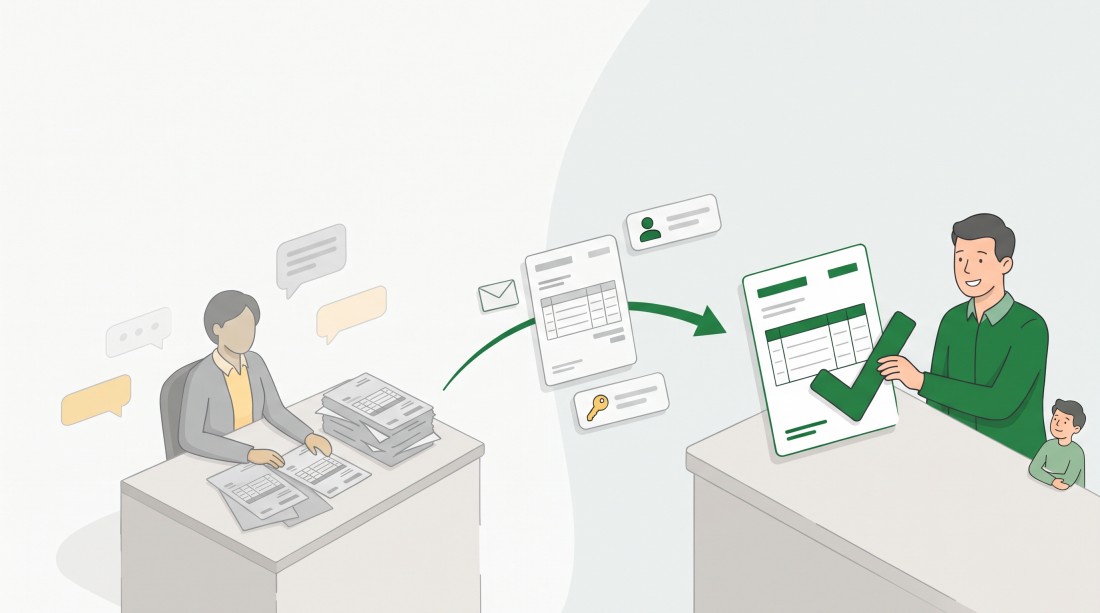
New: select approvers directly on the incoming invoice – ZEIT.IO sends the approval request by email.
Why do incoming invoices get stuck before approval?
The request for this feature came from a customer: MCG, Management Consulting Gesellschaft mbH. There, Tanja K. uploads the incoming invoices to ZEIT.IO and Thomas B. approves them. Two people, two tasks – exactly what a four-eyes principle calls for.
What was missing was the link between the two. After the upload the invoice sat in the invoice inbox, but ZEIT.IO did not tell the approver that it was waiting for them. Whoever needed an approval had to say so outside ZEIT.IO: by email, in a chat or across the desk. If that message gets lost, the invoice stays where it is until the supplier asks.
So MCG asked for a way to request the approval directly on the invoice. The approval request closes exactly that gap: Tanja K. selects Thomas B. on the invoice, and the request arrives by email.
How do incoming invoices get into ZEIT.IO?
In three ways:
- Upload via drag & drop: you drag the invoice file into the upload area under Invoices › Incoming invoices. This needs the permission to create and edit incoming invoices.
- E-invoice mailbox: your organisation gets its own email address, which you pass on to your suppliers. Every invoice that arrives there is stored in the invoice inbox. E-invoices are validated and visualised automatically. More on this in the post Receive invoices with the e-invoice mailbox.
- Public REST API: other systems, such as your ERP or a script of your own, hand incoming invoices over to ZEIT.IO automatically. The interface is documented at zeit.io/api-docs.
Whichever way an invoice arrives, it ends up in the same invoice inbox, and the approval request works the same for all three. For invoices from the mailbox or the API nobody in your company uploaded anything by hand – all that is missing is the person who approves.
How it works
- Open the invoice under Invoices › Incoming invoices.
- To the right of the invoice you will find the new sidebar with the Approvers section. Pick one or more people in the Select approvers ... field.
- Click Save. ZEIT.IO confirms with The approvers have been saved.
- Every newly selected person receives an email with the subject Approval requested: incoming invoice …. It names who is asking, the supplier, the invoice number and the gross amount, and contains the link Open invoice.
- The approver opens the invoice, checks it and clicks Approve or Decline.
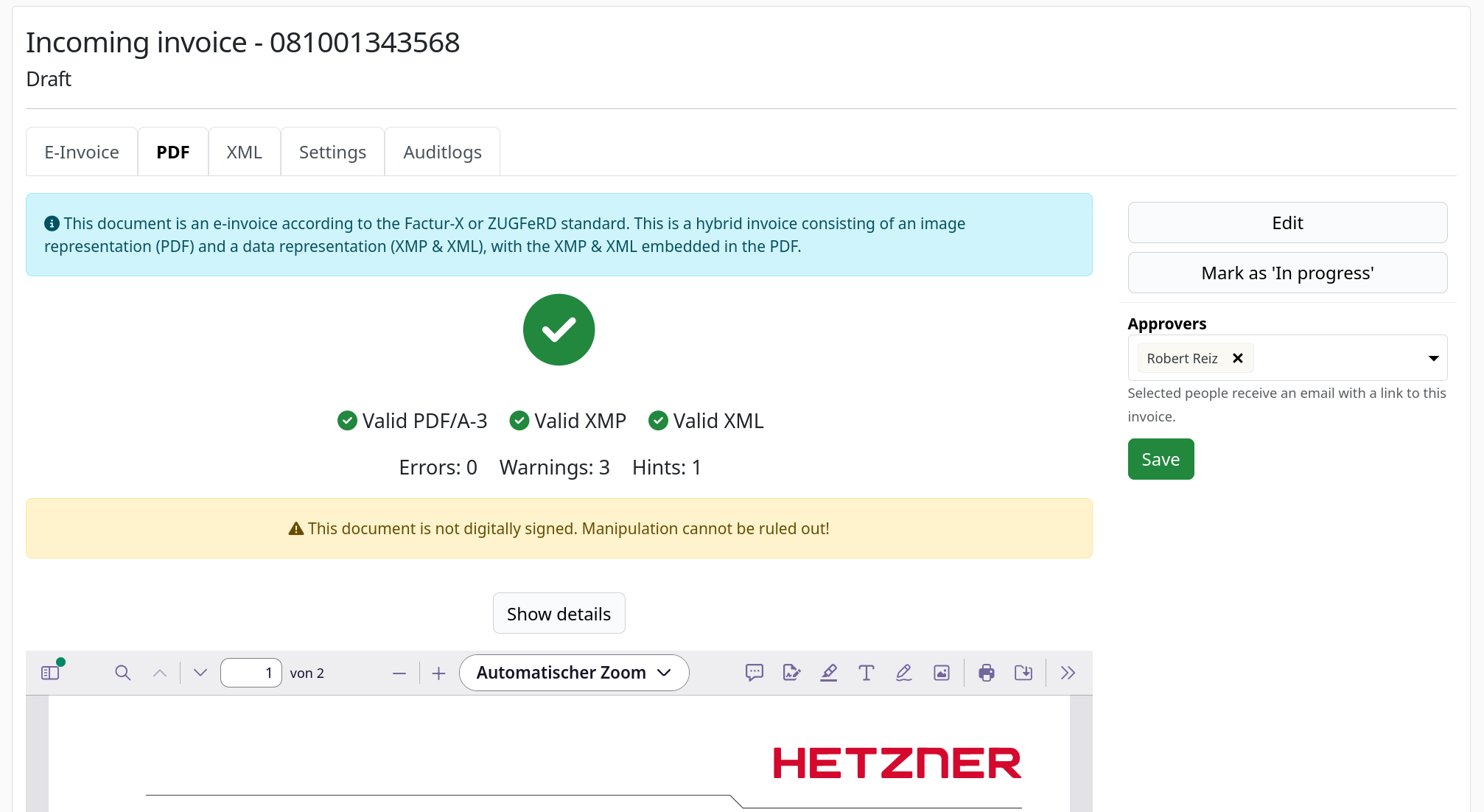
The screenshot shows an e-invoice in the PDF view. The sidebar is on the right: the actions Edit and Mark as 'In progress' at the top, below them the Approvers section with one person selected, the hint Selected people receive an email with a link to this invoice. and the Save button.
Once the decision is made, the sidebar shows the requested approvers read-only. The selection can no longer be changed.
How do I set up a four-eyes principle for incoming invoices?
With separate permissions. ZEIT.IO has three individual permissions for incoming invoices, which you assign per user on the Permissions tab:
| Permission | Wording in ZEIT.IO |
|---|---|
| Read | Can view all incoming invoices in this organization. |
| Create and edit | Can create & edit incoming invoices in this organization. |
| Approve | Can approve incoming invoices in this organization. |
That lets you build two roles:
- Capture: read plus create and edit, but not approve. These people upload invoices, maintain the data and request the approval. They do not even see the Approve and Decline buttons.
- Approve: read and approve, but not create and edit. These people check and decide, but cannot upload or change an invoice themselves.
With this split, whoever captures an invoice cannot approve it. It always takes a second person. That is the four-eyes principle, and it does not rely on goodwill – it relies on permissions.
One thing to keep in mind: administrators can do everything in their organisation, including capturing and approving. The same goes for anyone you give both permissions to. The four-eyes principle is therefore only enforced for the people whose permissions you actually separate.
For another example of fine-grained permissions in ZEIT.IO, see the post on multiple API keys with their own permissions.
Who can be selected as an approver?
Only active members of your organisation who can actually open and approve the invoice: administrators, and people who have both the read and the approve permission for incoming invoices.
There is a practical reason for this. Nobody receives an email with a link that ends in an error message.
Anyone who can view incoming invoices can request an approval. No extra permission is needed for that.
What else is new on the invoice page?
The invoice's actions now sit in the sidebar as well: Edit, Delete, Mark as 'In progress' and – for approved invoices – the steps for payment and DATEV. The sidebar stays visible while you scroll, so even at the bottom of a long e-invoice the actions and the approvers are one click away. It appears in every view of the invoice, including the PDF and the XML view.
What stays the same
- The approval itself works as before: open the invoice, comment if you like, then Approve or Decline.
- An approved invoice stays locked. How amounts can still be corrected is covered in the post on correcting approved incoming invoices.
- Approved invoices move on to the payment run as usual, for example through the SEPA export for incoming invoices.
At a glance
- Available since: November 2026
- Where: Invoices › Incoming invoices, sidebar on the right of the invoice page, Approvers section
- Who: Anyone with read permission for incoming invoices can send a request. Administrators and members with read and approve permission can be selected.
- Limits: Approvers can only be changed while the invoice is neither approved nor declined. A single approval is enough, even if several people were asked. There are no automatic reminders.
- Emails: Only to newly added approvers, never to yourself. Someone who is removed again gets no message.
- Audit trail: Every added and every removed approver is listed on the invoice's Auditlogs tab.
Frequently asked questions
Can I request several approvers for one incoming invoice?
Yes. You can select as many eligible people as you like, and each one gets their own email. One decision from any of them is enough. There is no fixed number of required approvals.
Does an approver get another email every time I save?
No. ZEIT.IO only writes to the people who were newly added by that save. Someone who was already requested does not get a second message. If you select yourself, you do not get an email either.
Can the person who uploads an invoice also approve it?
Only if they have the approve permission. Without Can approve incoming invoices in this organization. they do not get the Approve and Decline buttons. Administrators always have this permission.
Can I see later who was asked to approve?
Yes. Every change to the approvers is recorded on the invoice's Auditlogs tab, with user and time. After the decision the sidebar keeps showing the people who were requested.
What happens when I remove an approver again?
The person disappears from the list and is not notified about it. If the email to them has not been sent yet, it will not be sent at all.
Why this matters
In the end, an incoming invoice is a payment. That is why many companies want to make sure the same person never both captures and approves an invoice. Until now this was a matter of agreement – and of a reminder in the chat.
Now both are in the system: who is allowed to approve, and who has just been asked. Accounting no longer has to chase anyone, and the approval is documented and traceable.
Upload, request, approve – by two people instead of one.