Cancellation invoices from suppliers: clearly linked, never paid twice
 Robert Reiz | October 13, 2026 | 06:29 UTC
 In March, your design agency sends you invoice RE-2041 for €2,380. A week later, Lena from accounting notices that the hourly rate is wrong. The agency apologises and sends two documents: cancellation invoice ST-0107 for –€2,380 and a corrected invoice RE-2058.
All three end up in ZEIT.IO's incoming invoices. And in the list, all three look the same. Which one is still open? Which one has been cancelled? And why does the cancellation invoice refuse a minus sign in the amount field?
Lena writes a note in the description field, keeps a spreadsheet on the side, and hopes nobody includes RE-2041 in the next payment run.
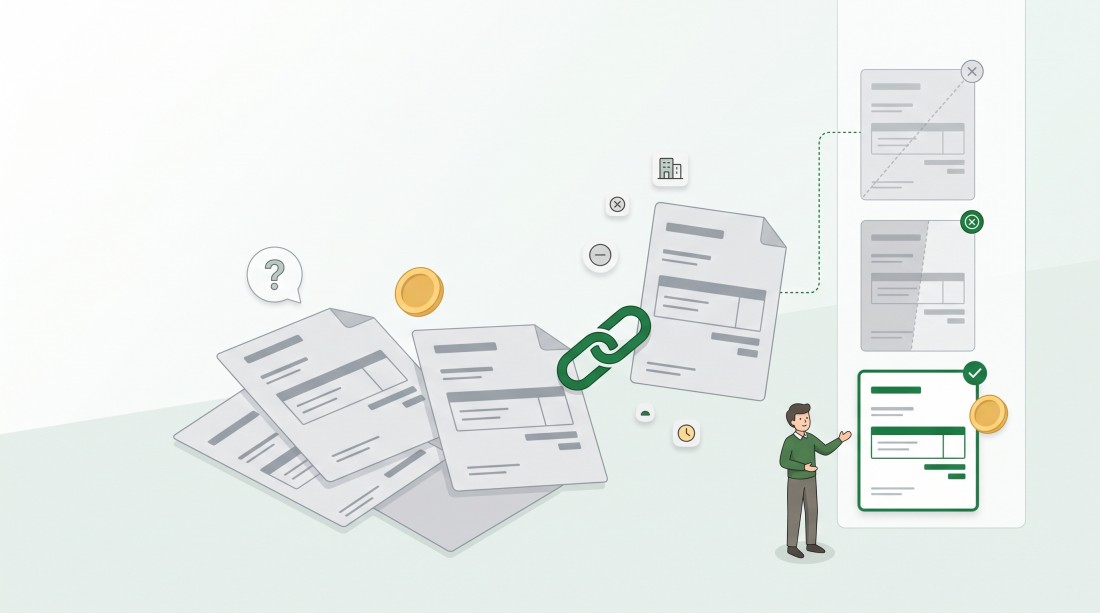
From now on, you can mark an incoming invoice as a cancellation and link it directly to the invoice it cancels. Both are clearly highlighted in the list.
What changes now
Mark an invoice as a cancellation
When you complete an uploaded invoice, the form now has a checkbox under the supplier: "This invoice is a cancellation". Tick it, and a second field appears: "Cancels invoice".
The dropdown shows the invoices from the same supplier that can still be cancelled – with invoice number, date and gross amount, newest first. In our example, Lena picks RE-2041 – 14.03.2026 – €2,380.00 and saves.
If you tick the checkbox without selecting an invoice, ZEIT.IO doesn't save and reminds you: "Please select the invoice this invoice cancels."
Only invoices that make sense
The dropdown only offers invoices that are genuinely available:
- from the same supplier as the cancellation,
- not already cancelled,
- not a cancellation themselves,
- not rejected.
If you change the supplier in the form, the list updates right away. This works for an existing supplier as well as when you enter a new supplier's name and email. If the supplier has nothing to cancel, the dropdown says so: "No open invoices of this supplier".
Negative amounts are allowed
A cancellation has negative amounts by nature. The fields for the net amount, tax and gross amount on incoming invoices now accept a leading minus sign, so ST-0107 can be entered as –€2,380.00. The same applies to the amounts on incoming credit notes and uploaded invoices.
Recognisable at a glance in the list
In the incoming invoice list, both invoices are now highlighted – just like outgoing invoices:
- the cancelled invoice (RE-2041) gets a skull icon. The tooltip reads "This invoice was canceled with ST-0107!"
- the cancellation invoice (ST-0107) gets a cross icon with "This is a cancellation invoice for RE-2041."
The corrected invoice RE-2058 stays as it is – it's the only one that still needs paying.
Corrections stay possible
Picked the wrong invoice? Select the right one, or untick the checkbox. ZEIT.IO automatically removes the "cancelled" mark from the original invoice. The same happens if you delete the cancellation invoice altogether.
Organisation admins can also set or change the link later on the Settings tab, even if the invoice has already been approved.
Everything in the history
Every link and every change is recorded in the history of both invoices – for example "was cancelled by ST-0107" on the original and "marked as cancellation of RE-2041" on the cancellation. Months later, you can still see who linked what, and when.
What stays the same
- ZEIT.IO does not check whether the amounts match. A cancellation does not have to be exactly the negative of the original – partial cancellations remain possible.
- Invoices that reach you automatically from a supplier's own ZEIT.IO organisation keep their existing marking. The direct link to the original is not yet set for them.
Why this matters
A cancelled invoice that is accidentally paid costs time, nerves and an awkward email asking for a refund. With the new link, the incoming invoice list tells you immediately what is still open and what is settled. Cancelled invoices are also left out of the SEPA payment export, so RE-2041 can't slip into the next payment run.
No more spreadsheets on the side, no more notes in the description field. Cancelled means cancelled – visible to everyone.