Automatic payment reminders for unpaid invoices
 Robert Reiz | | 06:54 UTC
ZEIT.IO, the time-tracking and invoicing software for freelancers, agencies and small businesses, now sends payment reminders automatically. The payment reminder, dunning level 1 and dunning level 2 go out on the days you choose – with the invoice attached as an e-invoice, for sent and unpaid invoices only. You switch it on in the organisation settings under Dunning.
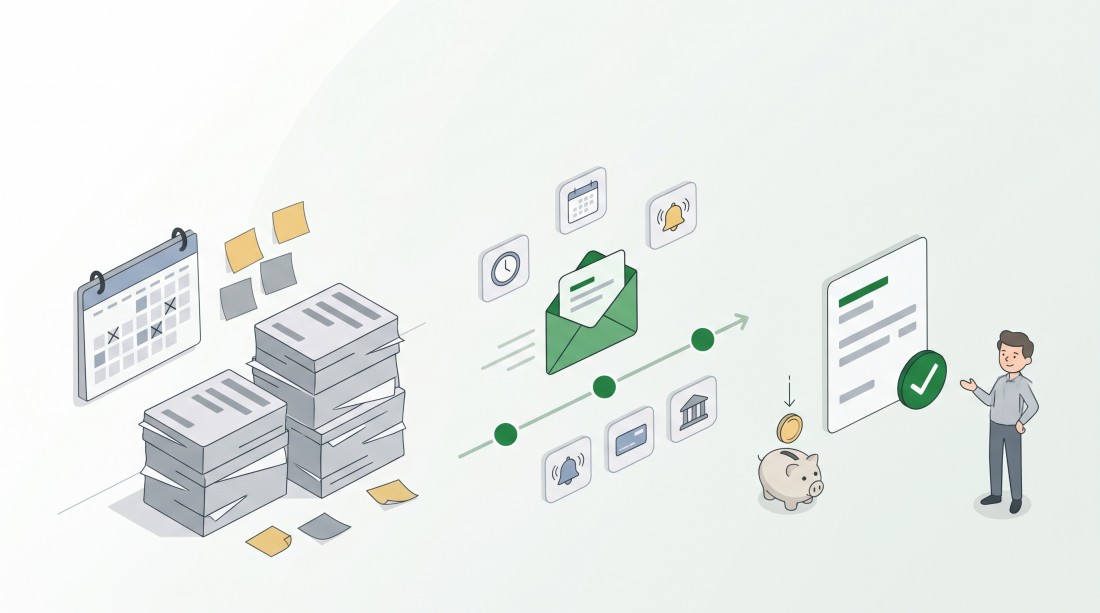
You set the rules once. ZEIT.IO sends every reminder that is due, on time – and stops as soon as the invoice is paid.
Why do unpaid invoices sit around for so long?
An example: Anna runs a small design agency. On 1 October she sends a long-standing client an invoice for €4,800, payable within 14 days. The due date passes. Anna is in the middle of a relaunch, and the invoice slips off her radar.
Three weeks later she notices the gap in her bank account. She sends a payment reminder, then two weeks later a first dunning letter – each time by hand, each time after checking whether the money hasn't arrived after all. In mid-November the €4,800 finally comes in. Six weeks of waiting, and at least half of it only because nobody had time to follow up.
Late payment is rarely bad intent. Most of the time an invoice simply slips through – at your client's and at yours.
How it works
- In the organisation settings, open the menu item Dunning. In the section Automatic dunning, tick Dun automatically.
- Enter how many days after the due date each level is sent: Payment reminder, Dunning level 1 and Dunning level 2. ZEIT.IO suggests 2, 7 and 12 days. Leave a level empty to skip it. The days must increase from level to level.
- In the same menu item, check the email texts of the three levels for each language and add a reply-to address for each. If one is missing, ZEIT.IO shows a notice – without a reply-to address that level can't be sent automatically.
- Save. From now on, every new invoice takes these settings when it is created.
- For individual clients, open the client's Dunning page and choose either Use organisation settings or Custom settings.
Which reminder does my client get, and when?
Once a day, ZEIT.IO checks all unpaid invoices. When a level is due for an invoice, it goes out by email – with the dunning text in the invoice's language, to the recipients you set up for payment reminders. With the suggested values, an invoice that was due on 15 October gets:
- the Payment reminder on 17 October,
- Dunning level 1 on 22 October,
- Dunning level 2 on 27 October.
Every automatic email is recorded in the invoice's audit log as sent automatically, so you can always see what went to whom and when.
Is the invoice in the reminder an e-invoice?
Yes. Every payment reminder and every dunning letter attaches the invoice exactly as it was issued – as an e-invoice. By default, ZEIT.IO creates all invoices as ZUGFeRD 2.5.2 (Factur-X 1.09.2) with the EN 16931 profile: a PDF/A-3 for people to read, with embedded XML data your client's accounting software can process directly.
If a client requires pure XML – many public-sector clients in Germany do – choose XRechnung - XML invoice (CII) in the client's Invoice format field. ZEIT.IO then creates an XRechnung 3.0.2 according to EN 16931. For clients in France, Factur-X is available too.
ZUGFeRD with the EN 16931 profile and XRechnung therefore meet the requirement of the German VAT Act, § 14 (1) UStG (in German): a structured format following the European standard for electronic invoicing, EN 16931. The article XRechnung and ZUGFeRD explains how the two formats differ. To check whether an e-invoice is valid, use the free ZEIT.IO e-invoice validator.
When does ZEIT.IO stop sending reminders?
As soon as the invoice is marked as paid. With the bank integration in ZEIT.IO this usually happens by itself: ZEIT.IO matches incoming payments to your invoices. If a payment can't be matched – for example because the payment reference is missing – mark the invoice as paid by hand.
Partly paid invoices keep getting reminders, because money is still missing.
Which invoices does ZEIT.IO not dun automatically?
- Invoices that were never sent. Drafts and finalised invoices that were neither sent nor marked as sent are left alone – nobody gets reminded of an invoice they never received.
- Cancelled invoices and cancellation invoices.
- Invoices paid by direct debit. The money is collected anyway; a reminder would only confuse.
- Invoices created while the switch was off. That includes every invoice from before you switched it on. To include one of them, enable dunning in the invoice's Dunning tab.
Can I set different deadlines for individual clients?
Yes. The settings work on three levels:
- Organisation: your default for every client.
- Client: on the client's Dunning page, choose Custom settings – for example a longer deadline for a key account, or no automatic reminders at all.
- Invoice: every invoice has a Dunning tab. A table shows each Level with its Days after due date, the planned Date and the State: Planned, Sent automatically or Sent manually.
A new invoice takes its client's settings when it is created. If you later change the organisation's or the client's settings, that only applies to new invoices – existing invoices keep their values, and nothing shifts without you noticing.
The switch in the organisation settings overrides everything: while it is off, ZEIT.IO sends nothing, not even for clients or invoices with custom settings.
At a glance
- Available since: 10 November 2026
- Where: organisation settings, menu item Dunning; the client's Dunning page; the Dunning tab of every invoice
- Who: members who can edit the organisation settings set it up
- Levels: Payment reminder, Dunning level 1, Dunning level 2 – suggested at 2, 7 and 12 days after the due date
- E-invoice attached: ZUGFeRD 2.5.2 (EN 16931 profile) by default; XRechnung 3.0.2 or Factur-X selectable per client
- Limits: off until you switch it on; days greater than 0 and increasing; sent, unpaid invoices only; no direct-debit invoices
- Not included: ZEIT.IO doesn't calculate late-payment interest or dunning fees
Frequently asked questions
How many reminders am I legally required to send?
Under German law, no particular number. According to § 286 (1) BGB, a single reminder after the due date puts your client in default. If the payment date is fixed by the calendar ("payable by 15 October"), you don't need one at all, and at the latest the client is in default 30 days after the due date and receipt of the invoice (§ 286 (3); for consumers only if the invoice points this out).
Does ZEIT.IO charge late-payment interest or dunning fees?
No. Under German law (§ 288 BGB), in business transactions without a consumer you can claim interest of nine percentage points above the base rate and a flat fee of €40. Whether and how you ask for it is up to your dunning text.
Will my client get several reminders at once?
No. If an invoice is already past several deadlines – for example because you only now enable dunning for an older invoice – ZEIT.IO sends exactly one email: the highest level that is due.
Can I still send a reminder by hand?
Yes, at any time. If you send Dunning level 1 yourself on day five, the automatic run skips that level and continues with Dunning level 2 on its own date. Levels that have already been sent can't be changed on the invoice any more.
What happens if a reminder can't be sent?
The reason is shown in the invoice's Dunning tab – for example a missing recipient – and ZEIT.IO tries again the next day.
Why this matters
A friendly reminder two days after the due date is usually all it takes. The only problem: someone has to send it – on time, every time, for every invoice.
That someone is now ZEIT.IO. You set the rules once, your clients get their reminders reliably and politely, and you only step in where it really matters.
You do the work. ZEIT.IO takes care of the money.