„On site 2" – what was that again?
 Robert Reiz | July 21, 2026 | 16:13 UTC
 It is the third of the month and the outgoing invoices are on your desk for review. One line item reads: Expert: Martina Berger (On site 2). Fourteen hours, 1,680 euros. And the question that inevitably follows is: what exactly is „On site 2"?
Somewhere last quarter, someone decided that this rate covers assignments at the Frankfurt data center – as opposed to „On site", which refers to the client office in Munich. None of that is written down anywhere. So the hunt begins: check the contract, ask the project manager, dig through old emails. All for a single line item.
That guessing game is now over. Every billing category in ZEIT.IO carries the name you give it.
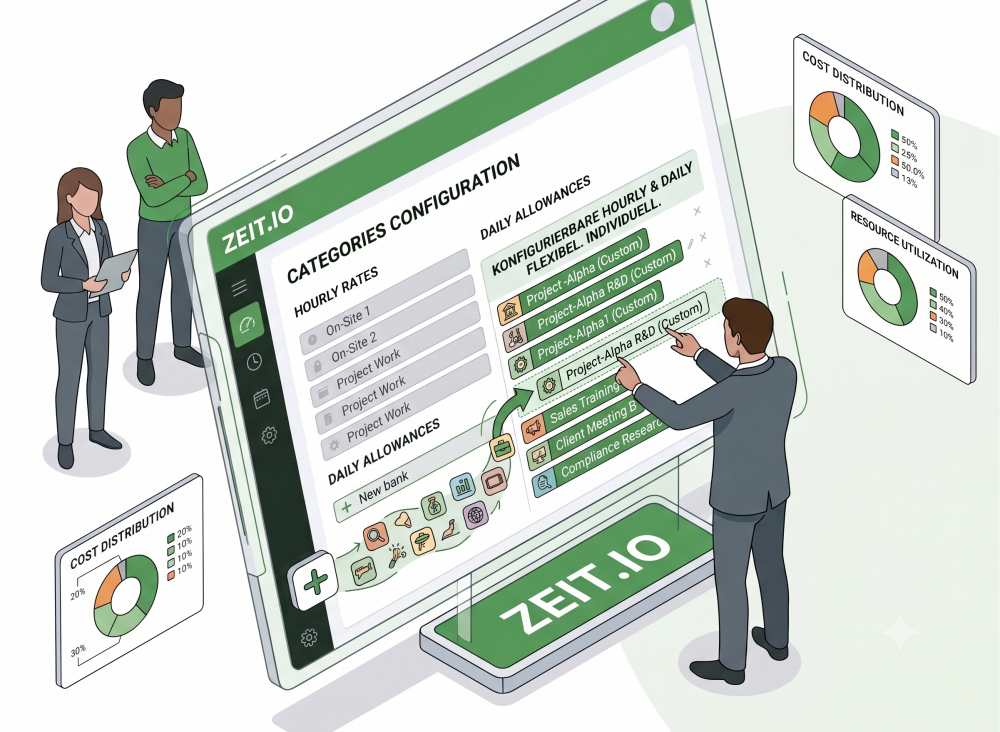
What's new?
Until now, the names of your rate categories were fixed: „Default", „Remote", „On site", „On site 2" and „Arrival/Departure". Those names came from the system and could not be changed. Anyone who meant something more specific – which was the rule rather than the exception – had to record that meaning somewhere outside ZEIT.IO.
From now on, you choose the names yourself. „On site 2" becomes „Frankfurt Data Center", „Arrival/Departure" becomes „Travel time (50 %)", „Remote" becomes „Home office". The label then appears wherever it is needed: when time is booked, in your reports – and on the invoice.
This applies to both billing models: hourly rates as well as daily rates.
For freelancers and employees – with one important difference
The feature is available for both types of engagement. Where the label is stored differs, however, and that is a deliberate design decision.
For freelancers and suppliers, the label belongs to the contract. A contract with up to four hourly rates describes one specific set of agreed conditions. Rename a category there and the new name applies everywhere that contract is used. That is exactly right: agreed rates do not change simply because the work happens in a different project.
For employees, the label belongs to the project membership. Employees receive a fixed salary and are not paid by the hour. What varies per project is what you bill the client: up to five billing rates can be defined per project membership. And because the same employment contract can be attached to any number of projects, storing the name on the contract would put it in precisely the wrong place.
The practical gain is considerable: the same person can bill as „Consulting" in project A and „2nd-level support" in project B – with different rates and different names, without the two projects interfering with each other. For controlling purposes that is a genuine difference, because each project view stays cleanly separated.
What your team notices
Anyone booking time picks a category from a dropdown. Until now that list held the system's terms – from now on it holds yours.
That sounds like a detail, but it decides whether time gets booked correctly. Choosing between „On site" and „On site 2" is a memory exercise. Choosing between „Munich Client Office" and „Frankfurt Data Center" is obvious. Misallocated hours rarely come from carelessness – they usually come from a choice that was not clear in the first place.
The rates themselves stay invisible throughout. Your team sees the category, never the amount behind it.
What reaches the invoice
For anyone reviewing invoices, this is the decisive point: your own labels appear on the outgoing invoice. So
Expert: Martina Berger (On site 2)
becomes
Expert: Martina Berger (Frankfurt Data Center)
The line item now explains itself – both for your own review and for your client's accounts payable team. Queries about invoice line items are expensive because they delay payment. A line item that raises no query is money in the bank.
One exception is worth knowing about: the base rate – „Default" or „Daily rate" by default – deliberately appears on the invoice without a category suffix. This is intentional: where there is only one rate, it does not need to be named, and the line item stays clean. You can rename the base rate, and the new name will appear throughout ZEIT.IO wherever it helps – but on the invoice the line stays unqualified. Only the named additional categories appear there in brackets.
What about time that's already booked?
This is the first question anyone responsible for billing data will ask – and the answer is the conservative one.
When you rename a category, ZEIT.IO applies the new name to time entries already booked under it. Reports stay consistent and you don't suddenly have two names for the same thing in your data.
Anything already closed out, however, stays untouched:
| State of the entry | Behaviour when renaming |
|---|---|
| Approved | stays unchanged |
| Billed by the company | stays unchanged |
| Billed by the team member | stays unchanged |
| Included in a credit note | stays unchanged |
| Mirrored from another tenant | stays unchanged |
The principle behind it: once something has been billed or approved, it is never altered retroactively. An invoice you have already issued and the time entries behind it will still tell the same story two years from now. A rename works forward, not backward – and your audit trail stays intact.
Who can rename?
Permissions follow whoever owns the data in question:
- Labels on freelancer contracts can be changed by anyone with write access to supplier contracts.
- Labels for employees can be changed by anyone with write access to projects – the label belongs to the project membership, after all.
Without those rights, the labels remain visible but cannot be edited. Control over billing conditions stays where it belongs.
How to get started
You'll find the labels in the same place you maintain the rates – a pencil icon sits next to each category. Click it, type the new name, save. That's all there is to it.
One suggestion from practice: set aside half an hour and rename the categories across your active projects before the next billing run. The effort is one-off – the benefit is with you at every invoice review from then on.
And if you'd rather do nothing at all, that's fine too. The existing names remain as defaults, and nothing changes for your current contracts and projects.
At a glance
| Before | After |
|---|---|
| Fixed system terms like „On site 2" | Freely chosen names like „Frankfurt Data Center" |
| Meaning documented only outside ZEIT.IO | Meaning visible in the application and on the invoice |
| Hourly rates only | Hourly and daily rates freely nameable |
| Not nameable at all for employees | Individually nameable per project membership |
| Queries about invoice line items | Line items that explain themselves |
Switching over takes a few minutes. What you get in return is billing that makes sense even to the colleague in accounting who has never seen the project.
Because an invoice line item shouldn't raise a question. It should be an answer.