When the mistake only shows up after approval: correcting amounts in incoming invoices
 Robert Reiz | 07. Oktober 2026 | 04:20 UTC
 An incoming invoice follows a clear path in ZEIT.IO: upload, capture, review, then approve or reject. Once a decision has been made on an invoice, the edit form is locked. That is intentional, because an approved invoice is the basis for payments, bookings and the DATEV export. It should not change unnoticed.
In practice there are still cases in which an invoice that has already been decided on needs to be corrected. This release extends the Settings tab for exactly that: it now includes the amounts as well, and on approved invoices only admins may change anything.
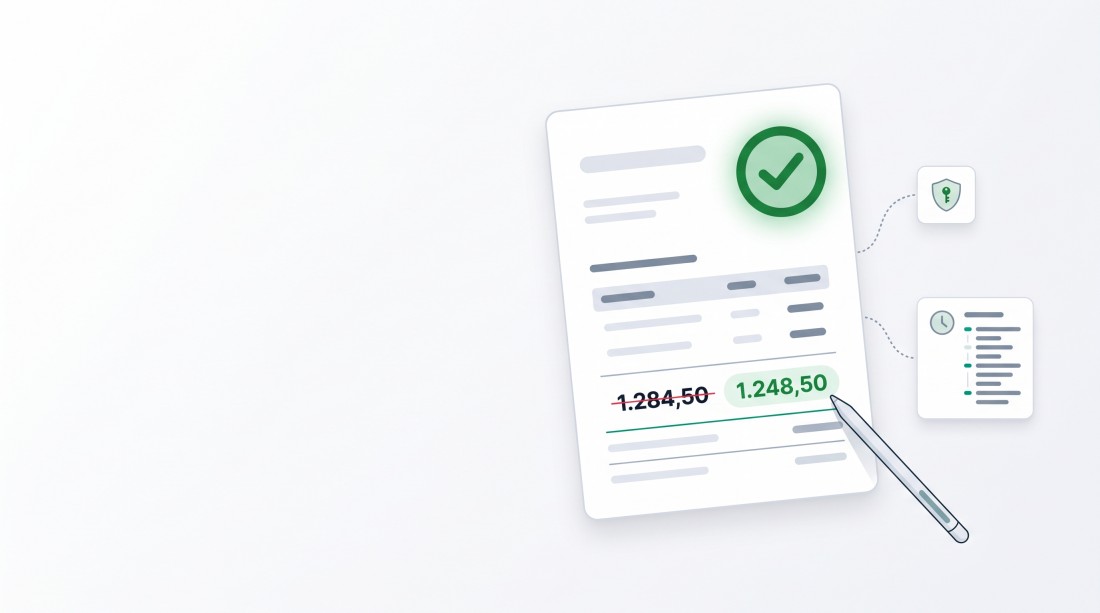
The problem: mistakes often surface only after approval
A few typical situations from everyday work:
- A transposed digit in the net amount was overlooked during capture, and only during payment reconciliation does it turn out that 1,284.50 was approved instead of 1,248.50.
- The automatic text recognition misread the tax amount, and the invoice was waved through anyway.
- The supplier sends a corrected invoice with the same invoice date and the same invoice number, just with a different amount.
Until now, the Settings tab only allowed changes to the invoice number, the delivery, invoice and due dates, the supplier and the labels. The amounts were not part of it. Anyone who wanted to correct a wrong amount in an approved invoice had no clean way of doing so.
New: net, tax and gross on the Settings tab
The Settings tab of an incoming invoice now has three additional fields:
| Field | Meaning |
|---|---|
| Net amount | Amount excluding tax |
| Tax | Tax amount of the invoice |
| Gross amount | Invoice amount including tax |
The fields behave exactly as they do in the edit form. Amounts are entered in the format of the selected language, so with a comma or a period as the decimal separator, and the fields calculate along with each other: change the net amount and the tax, and the gross amount is shown right away.
Dependent values are recalculated automatically
An invoice consists of more than three amounts. Further values depend on the gross amount, and they are adjusted automatically on save:
- Tax rate – recalculated from net and gross.
- Skonto 1 and Skonto 2 – the early payment discount savings and the payment amount are recalculated based on the new gross amount.
This way the amount can't be corrected while the Skonto window keeps calculating with the old payment amount.
Approved invoices: only admins may make changes
Changing an approved invoice is an intervention with consequences. It may already have been paid, booked or exported to accounting. A change afterwards can lead to discrepancies between ZEIT.IO and the financial accounting system. That is why, from now on:
| Invoice status | Who may make changes on the Settings tab? |
|---|---|
| Open | Everyone with write permission on incoming invoices |
| Rejected | Everyone with write permission on incoming invoices |
| Approved | Only admins of the organisation |
What employees without admin rights see
On an approved invoice, employees without admin rights still see the Settings tab, but read-only: all fields are greyed out and the Save button is gone. The values can be looked up, but not changed. The lock is not only enforced in the user interface but also on the server. A change sent past the user interface is rejected.
What admins see
Admins can still edit approved invoices, but not by accident. Two notices make sure of that:
- A red warning appears above the form: > This invoice has already been approved. Changes to amounts, dates or the supplier affect bookings, payments and exports that already happened and can lead to discrepancies. Only admins are allowed to edit this invoice now.
- When clicking Save, ZEIT.IO asks once more: > This invoice has already been approved. Do you really want to save the changes?
The changes are only applied after confirmation.
Every change ends up in the audit log
Amounts are treated the same as the invoice number, dates, supplier and labels: every change is recorded in the invoice's audit log, with the old and the new value, the user and the time. An entry looks like this, for example:
updated the amount_net from '1284.5' to '1248.5'
Net, tax and gross are each logged separately, and only when the value has actually changed. Saving the form without touching an amount creates no superfluous entries.
This means that even after approval it remains traceable who changed which amount and when. For GoBD-compliant audits, for the external auditor and for internal audit this is essential: a correction is allowed, but it is never invisible.
What this means for your accounting
Corrections without detours
Until now, a wrong amount in an approved invoice had to be fixed in a roundabout way. Now an admin corrects the amount directly on the invoice, the tax rate and Skonto adjust automatically, and the invoice is correct again.
Clear responsibility
Not everyone who captures invoices should also be able to change approved ones. By restricting this to admins, the decision lies with the people who have the overview of payments and exports and who can assess the consequences of a change.
No silent changes
Warning, confirmation prompt and audit log work hand in hand. Whoever changes an approved invoice knows what they are doing, and everyone else can look it up later.
A note on exports
If an invoice has already been exported to DATEV or another financial accounting system, the correction is not carried over there automatically. After a change, check whether the booking in your financial accounting needs to be adjusted as well. That is exactly what the red notice in the form points out.
At a glance
| Before | After |
|---|---|
| Amounts not editable on the Settings tab | Net, tax and gross editable |
| Tax rate and Skonto had to be considered separately | Recalculated automatically on save |
| Approved invoices editable by everyone with write permission | Approved invoices editable by admins only |
| No notice about the consequences of a change | Warning and confirmation prompt on approved invoices |
| No amount correction possible after the decision | Every amount change in the audit log with old and new value |
Conclusion
In ZEIT.IO, approved still means: the invoice has been reviewed and is final. If it nevertheless turns out that an amount is wrong, there is now a clean, controlled way to correct it. Admins can adjust amounts on the Settings tab, ZEIT.IO recalculates the tax rate and Skonto automatically, and every change is logged without gaps.