No more chasing people: automatic reminders for freelancers
 Robert Reiz | August 20, 2026 | 05:40 UTC
 It is the 3rd of the month. Invoicing is due, the project report needs to go out — and one of your external consultants has an empty previous month. Not a single hour recorded. So you send an email. Then another one. Two days later the time records arrive, reconstructed from a calendar and from memory.
Anyone who works with freelancers and external contractors knows this pattern. It is rarely a matter of unwillingness. External people work for several clients, each with its own system, its own rhythm and its own login. Recording time in the client's system is exactly the kind of task that falls through the cracks between two projects.
Chasing after it used to be your job. From now on, ZEIT.IO does it for you.
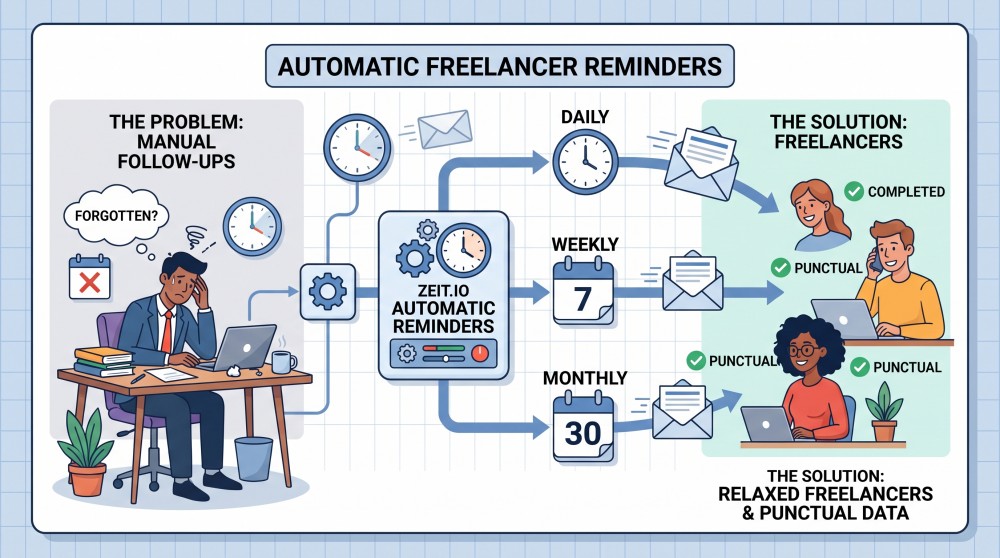
What's new?
In every contractor contract you decide how often the contractor is automatically reminded to record their time. There are four options:
| Setting | Meaning |
|---|---|
| No reminder | Nothing is sent. This is the default. |
| Daily | A reminder the next day if nothing was recorded for yesterday. |
| Weekly | A reminder on Monday if nothing was recorded for the previous week. |
| Monthly | A reminder on the 1st if nothing was recorded for the previous month. |
You will find the setting in the contract under "Settings", in the field "Remind contractor to track time". Any change is written to the contract's audit log — so you can always trace who changed the rhythm, and when.
Important: the setting applies per contract, not globally for your whole organization. A consultant who bills in large monthly blocks needs a different rhythm than a developer who documents two hours of standby every day. That is exactly what you can now express.
The three rhythms in detail
Daily — for contracts where every day counts
Every morning, ZEIT.IO checks whether the contractor recorded any time for the previous day. If not, a reminder goes out.
Two exceptions are built in so the reminder does not turn into noise:
- Weekends are skipped. If the previous day was a Saturday or a Sunday, nothing happens. Nobody gets a Monday-morning reminder about Sunday.
- Absences are taken into account. If an absence is recorded for that day — vacation, sick leave, a public holiday — no email is sent. Someone on vacation should not be reminded that they booked no hours while on vacation.
The daily rhythm suits contracts with a tight cadence: standby arrangements, support contracts, and assignments that have to be evidenced to an end customer day by day.
Weekly — the pragmatic middle ground
Every Monday, ZEIT.IO looks at the completed previous week, Monday through Sunday. If not a single time record was created in that entire week, a reminder goes out.
The absence rule applies here too, in its sensible variant: a reminder is only sent if the contractor was not absent for the whole period. Someone who spent the entire week on vacation is left alone. Someone who took two days off, worked three, and recorded nothing gets their reminder.
For most consulting and project contracts this is the right rhythm. It is tight enough that the week is still fresh in everyone's mind, and loose enough that nobody feels policed.
Monthly — for everything billed in blocks
On the first day of each month, ZEIT.IO checks the entire previous month. Not a single entry in the whole month? Then the reminder goes out — in time, before your invoicing and your month-end close start waiting for it.
Here as well, a reminder is only sent if the contractor was not absent for the entire month.
What the contractor receives
No dunning letter, no form, no additional tool. A short, friendly email in the recipient's own language — ZEIT.IO sends it automatically in German or English, depending on the user's language setting.
Besides the reminder itself, the subject line names which client and which contract it is about. That is the decisive detail for external people working for several customers: they can see immediately where something is missing, without even opening the email.
The email itself contains a direct link to time tracking. One click, log in, fill in the gap, done.
Why only "nothing recorded at all"?
That is a deliberate design decision: the reminder does not ask whether enough time was recorded, but whether anything was recorded.
For contractors, this is the only sensible measure. A freelancer has no target-hours account like an employee — they work on demand, 40 hours one week, four the next. A reminder that assumed a fixed weekly workload would fire constantly for the wrong reasons and end up in the spam folder within three weeks.
An empty period, on the other hand, is an unambiguous signal. It almost always means exactly one thing: it was forgotten.
Employees have their own counterpart: for employee contracts, ZEIT.IO offers a reminder that is based on the target hours stored in the contract. There, a reminder is only sent for days on which working time was actually scheduled. Each contract type gets the measure that fits it.
What you need to do
Nothing — if you want nothing. The default is "No reminder", so nothing changes for your existing contracts. Not a single email is sent that you did not explicitly switch on.
If you do want to use the feature, it takes three steps:
- Open the contract
- Go to "Settings"
- Pick the rhythm you want under "Remind contractor to track time" and save
From the next day, Monday or 1st of the month, the reminder runs automatically. There is nothing for you to monitor and nothing to follow up on.
At a glance
| Before | After |
|---|---|
| You notice missing time records at month-end close | ZEIT.IO notices daily, weekly or monthly |
| Following up by email and phone — manual work | An automatic reminder, in the recipient's language |
| One rhythm for everyone, or none at all | Freely selectable per contract |
| Reminders even on weekends and during vacation | Weekends and absences are skipped |
Missing time records are rarely a discipline problem. They are a reminder problem. And remembering is exactly the kind of task software handles better than a person with a full calendar.
The feature is available now. Open a contractor contract and give it a try.