Import supplier contracts from CSV
 Robert Reiz | September 29, 2026 | 05:19 UTC
 Twenty new freelancers on the project? Instead of filling in the contract form twenty times, you now upload a single CSV file.
If you set up larger projects as a project manager, you know the routine: the team is in place, the terms are negotiated, and the list of names, email addresses, hourly rates and durations has long been sitting in a spreadsheet. Until now, every supplier contract still had to be created in ZEIT.IO one by one – open the form, type in the data, save, next contract. That takes time and invites mistakes, especially with rates and dates.
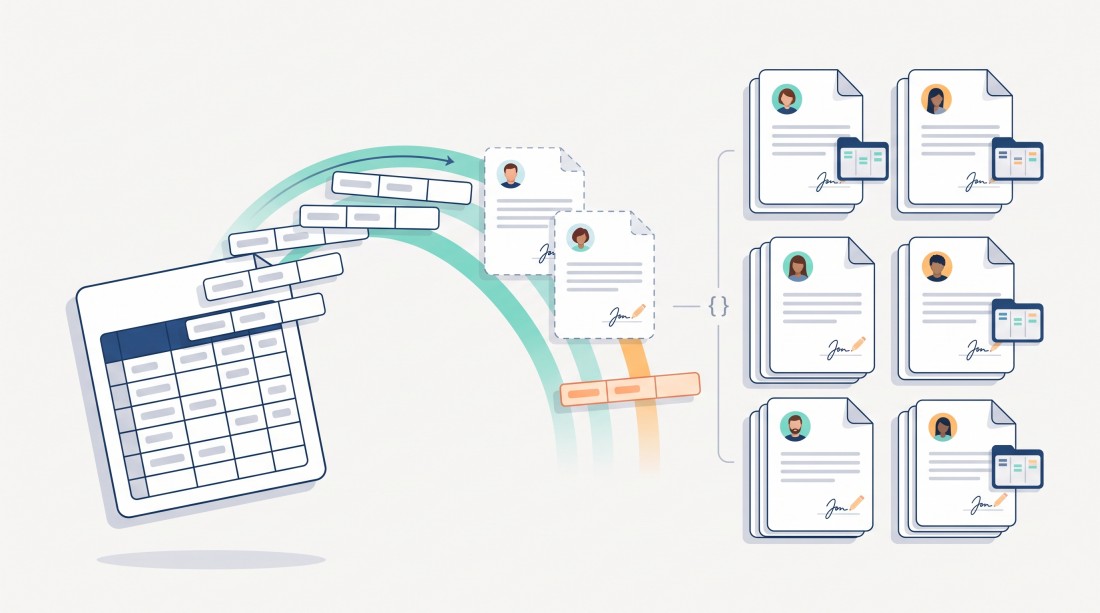
From today, it takes a single step: supplier contracts can be imported from a CSV file – standard contracts as well as project contracts 1:1, for which ZEIT.IO creates the matching project along the way. And for everyone who has connected ZEIT.IO to their own systems, there is a new API endpoint for it.
How the import works
On the supplier contracts overview, the "Create a new supplier contract" button now has a dropdown menu. It takes you straight to:
- Standard – the classic supplier contract,
- Project contract 1:1 – contract and project in one go,
- CSV import – the new import page.
There you choose your CSV file and click "CSV import". ZEIT.IO creates one supplier contract per line of the file – for a project contract 1:1 together with its project – and reports for every line whether it worked. If a line fails, you see its line number and the reason – all other contracts are created anyway. You fix just the affected lines and import them again.
The import format is the export format
There is no new file format to learn. The import file has exactly the layout of the CSV export of the contracts overview. The easiest way to get a matching template:
- Export your existing supplier contracts via "CSV Export" below the list.
- Open the file in Excel or LibreOffice, delete the existing lines and enter the new contracts – or copy an existing contract and adjust it.
- Save it as CSV and upload the file on the import page.
To make this possible, we completed the export. It now contains every field of the contract form, including:
- email address, language and organisation of the recipient,
- the contract content and the message to the recipient,
- the compensation type (hourly or daily rate, single or multiple) with all purchase rates,
- your own labels for the rates (such as "Remote" or "On site"),
- payment term, up to three early-payment discount (Skonto) levels and the credit note procedure,
- duration, offer expiry date and the maximum hours per day,
- for project contracts 1:1, the related project: name, identifier, budget type, budget and the hour or day budget.
The export writes numbers and dates in your language format – 1,250.50 and 12/31/2026 with English settings, 1.250,50 and 31.12.2026 with German ones. The import reads them back in the same format. Multi-line contract texts in quotes come through cleanly as well.
What ZEIT.IO checks during the import
- Mandatory fields: title, first name, last name and email address of the supplier, start and end date, and the compensation type with at least one matching rate. A project contract 1:1 additionally needs the matching sales rate and the project details.
- No duplicates: if a supplier contract with the same recipient email, title and start date already exists, the line is reported as an error and not created a second time. The same applies to a project contract 1:1 whose project identifier already exists. So you can safely repeat an import you uploaded twice by mistake.
- Nothing goes out unintentionally: imported contracts are created as drafts and are not sent. You review them at your own pace and only send them to the suppliers once everything is right.
- Known suppliers are linked: if the email address is already registered with ZEIT.IO, the contract is linked to that user right away.
- Traceable: every imported contract gets an audit log entry, and so does every project created along with it.
You need the permission to edit supplier contracts to run the import.
Standard contract or project contract 1:1
The "Type" column decides which kind of contract a line creates:
default– standard contract. The contract is not assigned to a project at first. You add the supplier to one or more projects as a member, as usual – and set the sales rate there. That is why the sales rates in the CSV file are ignored for these lines.project_contract_11– project contract 1:1. ZEIT.IO creates the contract and the project in one step, just like the form does. For this, you also fill in the project columns at the end of the file: project name, project identifier, budget type (defaultfor hours,daysfor days), budget and, depending on the budget type, the hour or day budget. The sales rates are imported, and the contract runs exactly as long as the project.
For a project contract 1:1, the import does not take over the offer expiry date, the recipient's organisation or your own rate labels – your organisation's defaults apply to them. Adjust them in the contract if needed before you send it.
For standard contracts the project columns stay empty. One file may mix both kinds of contract.
Tip: enter the type exactly as the export writes it – the easiest way is to copy an exported line of the contract type you need and adjust it.
New in the API: POST /api/v1/org/contracts/suppliers
Behind the scenes, the CSV import uses a new public API endpoint. You can use it directly as well – for example to create supplier contracts in ZEIT.IO automatically from your recruiting tool, your ERP or a freelancer portal.
POST /api/v1/org/contracts/suppliers
apiKey: your-api-key
Content-Type: application/json

{
  "title": "Backend development Q4",
  "recipient_firstname": "Anna",
  "recipient_lastname": "Smith",
  "recipient_email": "anna.smith@example.com",
  "recipient_locale": "en",
  "start_date": "2026-10-01",
  "end_date": "2026-12-31",
  "currency": "EUR",
  "compensation_type": "hourly",
  "hourly_wage": 9500,
  "payment_term": 30
}
The response contains the ID of the new contract:
201 Created

{ "contract": { "id": "6716..." } }
Good to know for your developers:
- Amounts are passed as integers in cents (
9500= €95.00), discount percentages times 100 (150= 1.5 %),max_hours_per_dayin seconds and dates asYYYY-MM-DD. - The compensation type is one of
hourly,hourly_multi,dailyordaily_multi. - The rules are the same as for the CSV import: mandatory fields, no duplicates, draft status, no email sent.
- Missing or invalid data is answered with
422and an error message naming the field concerned. - All parameters are described in the API documentation.
For contracts that should come with a project, POST /api/v1/org/contracts/suppliers_11 remains available for the project contract 1:1, as before. The CSV import uses this endpoint for every line of type project_contract_11.
One more thing: a filter for the contract type
The supplier contracts overview has a new "Contract type" filter. It lets you show only standard contracts or only project contracts 1:1. The filter also applies to sorting, paging and the CSV export – a convenient way to export exactly the contracts you want as a template for your next import.
Why this matters
A new project shouldn't start with an afternoon of data entry. With the CSV import you bring your team over in minutes from the spreadsheet you have been maintaining anyway. If you work with project contracts 1:1, the projects and their budgets are created at the same time – one supplier, one project, one line. The contracts wait for you as drafts, and you stay in full control of when they go out to the suppliers. With the API, you can even automate the whole step.
Questions about the import or the API? Write to us at support@zeit.io – we're happy to help.