One Transfer, Four Invoices: The New List Matching in ZEIT.IO
 Robert Reiz | September 15, 2026 | 03:27 UTC
 It is the classic case in accounts receivable: a customer lets every invoice sit for three months and then pays the lot in one go. The bank statement shows a single amount — and a matter-of-fact enumeration in the reference field:
R-26-01260, R-26-01263, R-26-01261, R-26-01262,
Four invoices, one transaction, one amount. Any human can see what happened here in two seconds. For automatic reconciliation it used to be a case for the "Unsolved" list: the amount matched no single invoice, and the bulk transfer check did not fire because those four invoices belonged to different customers.
ZEIT.IO now handles this automatically. When the reference field contains a comma-separated list of invoice numbers, ZEIT.IO breaks the list apart, checks every single number, and links the transaction to all the invoices involved.
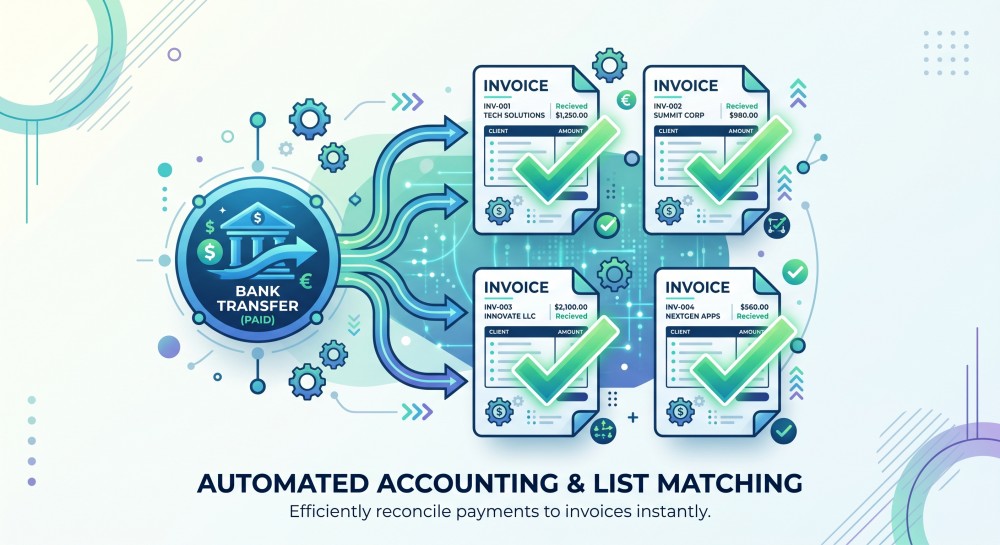
How list matching works
The check is deliberately strict. It runs in four steps, and if a single step fails, nothing at all is linked:
1. Break the list apart. ZEIT.IO splits the reference field at the commas and tidies up: whitespace goes, and so does a trailing comma — exactly as in the example above. If the reference field contains no comma at all, this is not a list case, and the other checks take over.
2. Resolve every number. Every entry in the list has to resolve to exactly one invoice: open, not cancelled, not already paid, and not yet linked to another transaction. If a single entry has no such invoice, the check stops. "The three out of four that happened to match" are never linked — in accounting that half-state is worse than no assignment at all.
3. Check the total. The gross amounts of all the invoices found have to match the transaction amount to the cent. One cent of deviation — from a partial payment, an early-payment discount or a bank fee — and the case is left for a human.
4. Link. Only now is the transaction connected to all the invoices, each invoice set to "paid", and the transaction marked as solved.
Only transactions that are not yet solved and not yet linked to any document are considered — and only incoming payments. An outgoing transaction is never checked against outgoing invoices.
Every invoice gets its own amount
One detail that makes the difference in practice: for a 100 EUR payment covering a 75 EUR invoice and a 25 EUR invoice, the 100 EUR payment is not booked twice. Each invoice is booked with its own amount — 75 EUR against one, 25 EUR against the other.
That sounds obvious, but it is not: if the transaction amount were booked against each invoice, both would end up overpaid in the system, the open item list would be useless, and the VAT return along with it. In ZEIT.IO the payment adds up to exactly the gross amount of each invoice — status "paid", no overpayment, no residual difference.
What happens when something does not fit
The most common case in practice is not the clean match but the near miss. So, explicitly, here is what ZEIT.IO does in those situations:
| Situation | Result |
|---|---|
| An invoice number from the list does not exist | No link, transaction stays open |
| One of the invoices is already paid or otherwise assigned | No link, transaction stays open |
| The total deviates — even by a single cent | No link, transaction stays open |
| The same invoice number appears twice in the list | No link, transaction stays open |
| The transaction is already assigned to a document | Skipped |
In every one of these cases the item stays in the "Unsolved" list and waits for a human. That restraint is deliberate: a wrongly assigned payment costs more time than a manual click. An automatically created mis-posting often only surfaces weeks later — usually when an already-paid invoice gets a dunning letter, or an invoice that is genuinely open is carried as paid.
List matching alongside the other checks
The new list matching replaces nothing; it fills a gap. ZEIT.IO checks every unassigned transaction against several mechanisms in turn — from the most unambiguous to the fuzziest:
For outgoing invoices
The unambiguous match. There is exactly one transaction whose amount matches the gross amount of the invoice to the cent and whose reference field contains the invoice number. If there is none, or several — two invoices for the same amount, say — nothing happens.
The bulk transfer. If one and the same customer has several open invoices whose combined total matches one transaction exactly, and the reference contains all the corresponding invoice numbers, the transaction is linked to all of them.
New: the invoice number list. This is where the new check comes in. It is not restricted to a single customer, and it does not depend on the invoices making up all of a customer's open items. What counts is solely what actually appears in the reference field. That covers precisely the cases that used to be left over: a group paying for several subsidiaries, an agency settling for several end clients, or simply a customer who pays four of six open invoices.
For incoming invoices
The unambiguous match. ZEIT.IO looks for an outgoing transaction whose amount matches the gross amount of the incoming invoice and whose reference field contains the supplier's invoice number.
The second-best match. Many suppliers — particularly with direct debits and subscription charges — do not put their reference in the reference field but in the name of the payee. If the first check finds nothing, ZEIT.IO therefore looks for the number there as well.
For credit notes
The unambiguous match. Amount and credit note number have to line up, just as with invoices.
The early-payment discount match. When a credit note is paid inside the discount window, the reduced amount arrives in the account — so the unambiguous match never fires. ZEIT.IO therefore also checks against the discounted amount. What matters here is the booking date of the payment, not today's date: bank transactions are often imported days later, and a payment made on time should not go unrecognised merely because the discount window has since closed.
When reconciliation runs
List matching is built into the existing processes and needs no setup:
- Every hour, when ZEIT.IO checks the transactions of all connected accounts.
- After connecting an account, during the sweep over the last three months.
- On every manual reconciliation you trigger via the refresh icon.
It runs before the other checks. The reason is practical: if one of the four invoices had meanwhile been assigned individually, the list total would no longer add up, and the whole item would be left sitting there.
What you need to do
Nothing. Reconciliation is active for every organisation with a connected bank account.
What is worth doing: if you have customers who regularly pay several invoices together, ask them to put the invoice numbers in the reference field, separated by commas. It is no extra work for your customer — most banking portals carry the references across in a bulk payment anyway — and it means the open item closes itself on your side.
Like every other link, this one is written to the audit log: each invoice records when its status changed and which transaction was responsible. The assignment stays traceable at any time — and can be undone from the transaction detail view, should something have been meant differently after all.
You will find bank integration in your organisation under Accounting → Bank accounts.