Consecutive project numbers
 Robert Reiz | November 23, 2025 | 09:19 UTC
 ZEIT.IO can now automatically assign sequential project numbers. Various formats are available.
Previously, a project number was optional. You could enter a project number manually or not.
Starting this week, you can configure the automatic assignment of a sequential project number. To do this, simply navigate to your organization's settings, then click on "Sequential Numbers" on the left, and then on "Project Number."
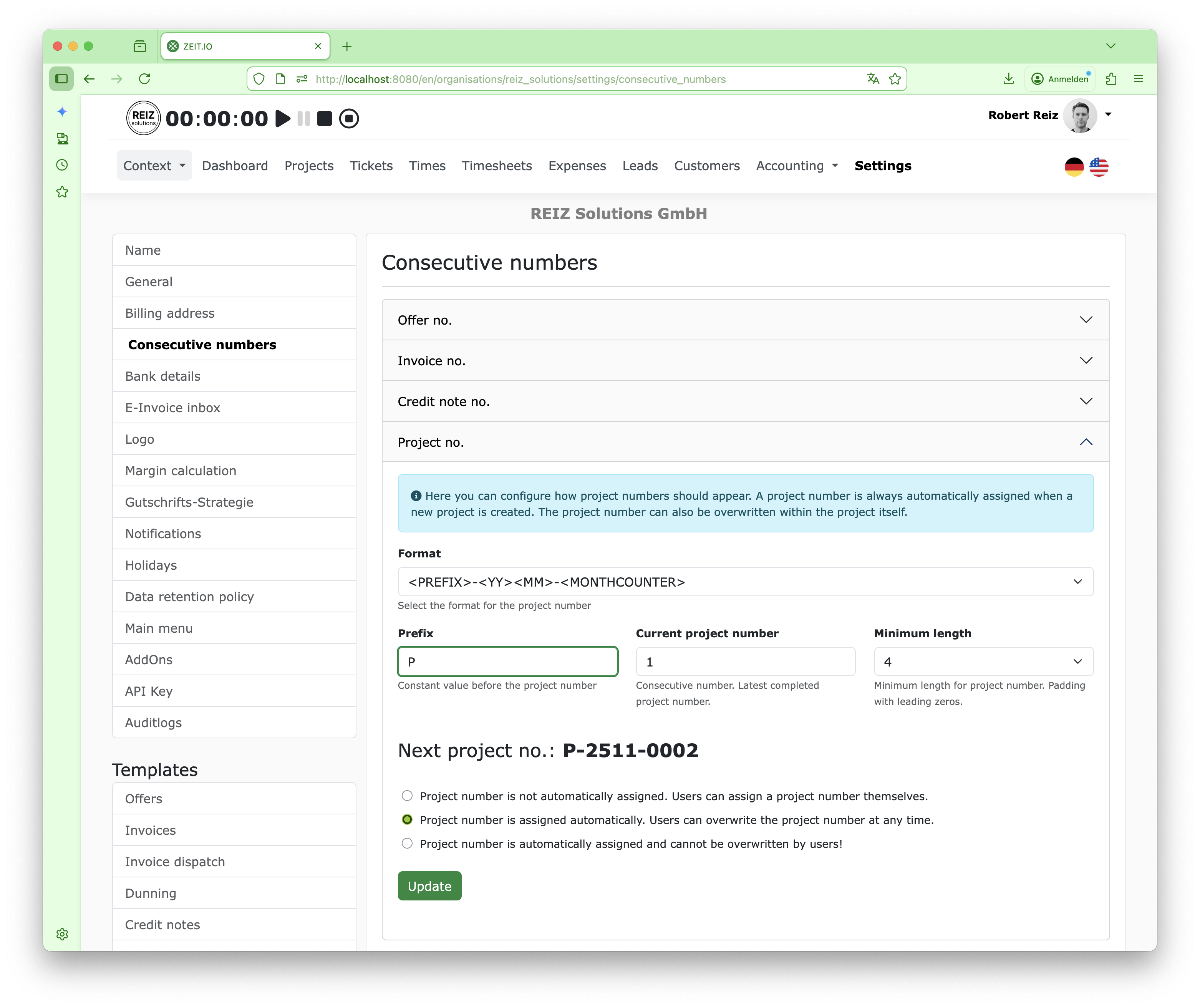 Configure sequential project number on ZEIT.IO
Just like with invoice numbers, you can choose from various formats and configure everything. The next project number is also displayed immediately.
In addition to the project number itself, you can also configure whether the project number should be assigned automatically or not. There are three options:
Starting this week, you can configure the automatic assignment of a sequential project number. To do this, simply navigate to your organization's settings, then click on "Sequential Numbers" on the left, and then on "Project Number."
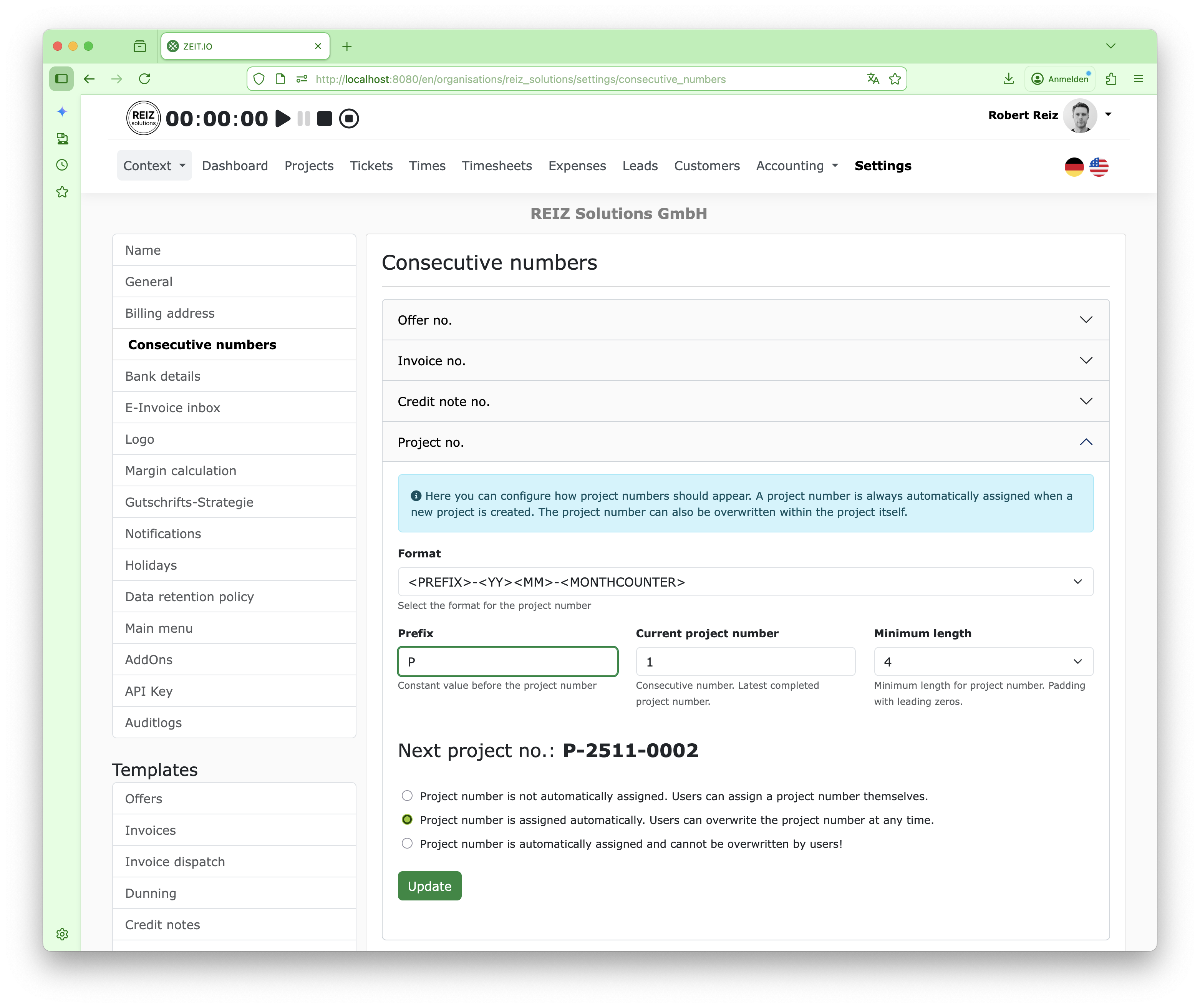 Configure sequential project number on ZEIT.IO
Just like with invoice numbers, you can choose from various formats and configure everything. The next project number is also displayed immediately.
In addition to the project number itself, you can also configure whether the project number should be assigned automatically or not. There are three options:
- Project number is not assigned automatically. Users can assign their own project number.
- Project number is assigned automatically. Users can overwrite the project number at any time.
- Project number is assigned automatically and cannot be overwritten by users!
The last option, in particular, ensures that a sequential project number is always assigned.