Auto-invoices: non-billable hours as an optional timesheet
 Robert Reiz | September 28, 2026 | 06:08 UTC
 The timesheet ZEIT.IO attaches to an invoice shows exactly the hours that are billed with that invoice. In most cases that is right – the customer sees what they are paying for.
But there are billing models where that is only half the story. The typical example: a monthly maintenance fee. The customer pays the same amount every month, no matter how much work was actually done. That is why many of these hours are recorded in ZEIT.IO as not billable – they are covered by the flat fee and never show up on an invoice. As a result they are invisible to the customer, even though they are exactly what shows the work behind the fee.
That changes now: auto-invoices can optionally include a second timesheet with the non-billable hours.
What the new option does
The auto-invoice configuration has a new checkbox:
Add attachment with not billable hours: If there are not billable hours they will be added to the invoice as attachment.
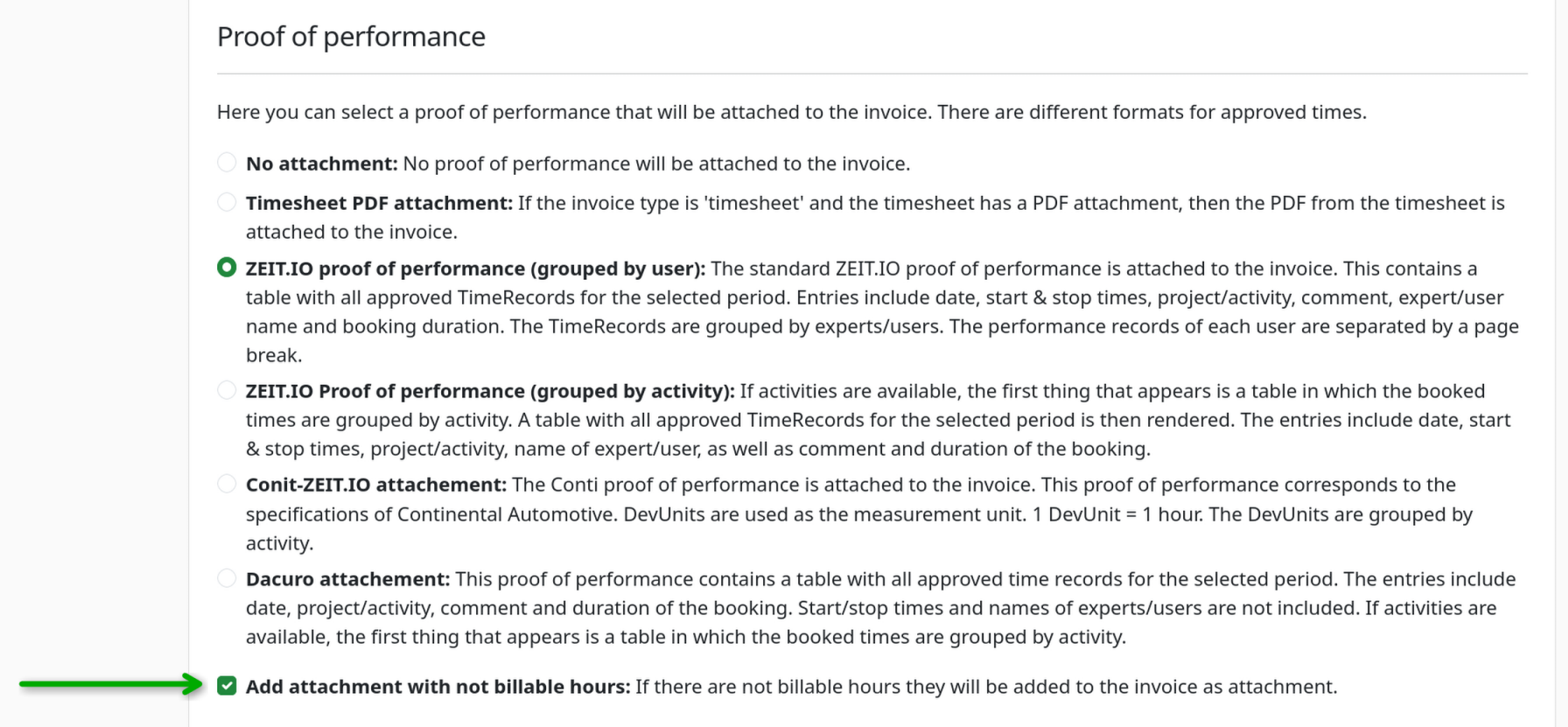
When it is enabled, the invoice PDF gets a second attachment after the regular timesheet, with the heading "Timesheet – non-billable hours" (on German invoices: „Leistungsnachweis – nicht abrechenbare Stunden").
The second attachment uses the same format as the invoice's regular timesheet. If you send your invoices with the timesheet "grouped by activity", the non-billable hours are grouped by activity as well. Both attachments look like they belong together.
Which hours end up in the attachment
The second timesheet contains all time records that
- belong to the invoice's project,
- fall within the invoice's service period, and
- are not billable.
Whether a time record is billable is determined as usual by the project and the booked activity: if the project is not billable, or the time was booked on a non-billable activity, the time record is not billable either.
Unlike the regular timesheet, the approval status does not matter. The second attachment is meant to show what work was done in the period – not what is being billed. That is why time records that have not been approved yet are listed too.
If there are no non-billable hours in the period, the second attachment is simply left out and the invoice looks the same as before. It is never created for cancellation invoices.
Which timesheet formats support the option
The option is available for three of the six formats:
| Format | Second attachment possible |
|---|---|
| ZEIT.IO proof of performance (grouped by user) | ✅ |
| ZEIT.IO proof of performance (grouped by activity) | ✅ |
| Dacuro | ✅ |
| No attachment | – |
| Timesheet PDF attachment | – |
| Conti | – |
The reason is technical: the "Timesheet PDF attachment" attaches an uploaded file, which cannot show individual time records. The Conti timesheet works with DevUnits and budget figures of the billed timesheet – a list of non-billable hours does not fit into that scheme.
That is why the checkbox is only shown while one of the three supported formats is selected. If you switch to another format, the checkbox is hidden and the option is turned off when you save – so the stored setting always matches what actually ends up in the PDF.
Setting it up
You will find the new option in the project under Autoinvoices, right below the choice of the timesheet format. Tick the checkbox, save – and from the next automatically created invoice on, the second attachment is included.
Like every other field of the auto-invoice, each change of this setting is recorded in the project's audit log.
In the REST API, the new field is called not_billable_attachement:
PATCH /api/v1/org/projects/:id/autoinvoices/:aid
apiKey: your-api-key
Content-Type: application/json

{
  "z_attachement": "dacuro",
  "not_billable_attachement": true
}
The field is now also part of the response when you fetch an auto-invoice. As in the web interface: with a format that does not support the second attachment, the value is saved as false.
In XRechnung too
When the invoice is created as an XRechnung, there is no invoice PDF the timesheet could be attached to. ZEIT.IO therefore embeds the timesheet as a PDF attachment in the XRechnung XML. The second timesheet with the non-billable hours goes into that same PDF file. Your customer gets the same information in both invoice formats.
Questions?
If you have questions about the new option or want to know whether it makes sense for your billing models, just write to us at support@zeit.io.