Your article catalogue in ZEIT.IO in minutes, not afternoons
 Robert Reiz | 20. Oktober 2026 | 06:37 UTC
 Lisa runs a small web agency. Besides project hours she bills recurring things: hosting packages, maintenance flat rates, software licences, a monthly SEO report. Over the years her price list has grown to 45 articles – and it has always lived in a spreadsheet.
When Lisa moved her invoicing to ZEIT.IO, she had to create every one of these 45 articles by hand: open the form, type identifier, name, description, price and unit, save, next one. Her colleague Franz, who set up a second organisation for the agency's consulting arm a few weeks later, did the same work all over again – for almost the same list.
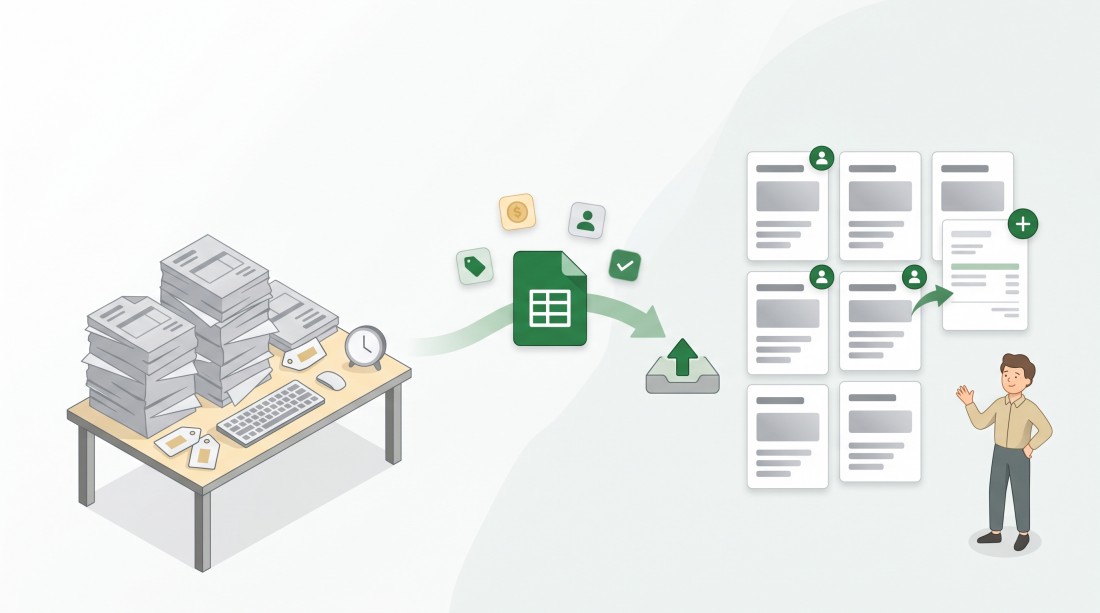
Articles can now be imported from a CSV file – in exactly the format of the article CSV export.
A quick reminder: articles in ZEIT.IO
Articles are the reusable invoice lines of your organisation: a name that appears on the invoice, a description, a net price per unit, a unit and a default amount. When you write an invoice, you pick an article instead of typing the line again.
Two settings make articles more than a price list:
- Limited to certain customers. An article can be made available to selected customers only. If no customer is selected, the article is available to all customers. Lisa's "Hosting Premium" package, for example, is only offered when she writes an invoice for the two customers who actually booked it – everybody else never sees it in the list.
- "Automatically add to new invoices." If this option is ticked, ZEIT.IO adds the article to every new invoice on its own – including invoices created by automatic invoicing, which are prepared as drafts. Combined with a customer limit, this is particularly handy: Lisa's monthly hosting flat rate of €49 is limited to the customer Müller Ltd and always added – so it lands on every new invoice for Müller Ltd, and only there.
Both settings are now part of the import and the export.
What changes now
CSV import for articles
On the article list there is a new "CSV Import" button. It opens the import page, where you choose your CSV file. ZEIT.IO creates one article per line and reports for every line whether it worked. If a line fails, you see its line number and the reason – all other articles are created anyway. You fix just the affected lines and import them again.
You need the permission to create and edit articles to use the import.
The import format is the export format
There is no new file format to learn. The easiest way to get a template:
- Export your articles via "CSV Export" below the article list.
- Open the file in Excel or LibreOffice, add new lines or adjust existing ones.
- Save it as CSV and upload it on the import page.
To make this round trip possible, we extended the export. It now contains every field of an article:
- identifier and name (the name is new in the export),
- description,
- price – now as a plain number in your language format, without a currency symbol,
- unit, amount and category,
- the customers the article is limited to (their identifiers, separated by commas – empty means "all customers"),
- whether the article is added to new invoices automatically.
The export file is now called after your organisation, e.g. LisaWeb_articles.csv.
German or English file? Doesn't matter
The export writes its column headers, numbers, units and categories in the language of the person who exported it. The import recognises the language from the header row and reads the file accordingly. So Franz can import an export that Lisa created with German settings, even if his own ZEIT.IO runs in English. A CSV file that is not an article export is rejected before anything is created:
"This file is not a product item export. Please upload a CSV file in the format of the product item CSV export."
What ZEIT.IO checks during the import
- Mandatory fields: identifier and name.
- No duplicates: if an article with the same identifier already exists in your organisation – regardless of upper or lower case – the line is reported as an error and not created a second time. A file uploaded twice by mistake does no harm.
- Known customers only: if a line names a customer identifier that does not exist in your organisation, the line is rejected and the unknown customer is named. That way no article ends up bound to a customer that doesn't exist – it would never show up in any invoice.
- Valid values: price and amount must be numbers, unit and category must be ones ZEIT.IO knows.
Customers at a glance on the article list
The article list has a new "Customers" column that shows which customers an article is limited to, and a new "Customers" filter. Pick a customer and you see exactly the articles that are reserved for them. The filter also applies to sorting, paging and the CSV export – a quick way to export the articles of one customer as a template.
New in the API: POST /api/v1/org/product_items
Behind the scenes, the import uses a new public API endpoint. You can use it directly as well – for example to create articles in ZEIT.IO automatically from your shop or ERP system:
POST /api/v1/org/product_items
apiKey: your-api-key
Content-Type: application/json

{
  "identifier": "hosting-flat",
  "name": "Hosting flat rate",
  "description": "Monthly hosting incl. backups",
  "item_price": 4900,
  "item_unit": "mon",
  "amount": 1,
  "category": "service",
  "customers": ["MUELLER"],
  "add_always": true
}
Good to know for your developers: the price is passed as an integer in cents (4900 = €49.00), an existing identifier is answered with 409, missing or invalid data and unknown customers with 422 and an error message. The endpoint only creates articles; all parameters are described in the API documentation.
What stays the same
- The import only creates new articles. Existing articles are never changed or overwritten – to change an article, edit it as usual.
- Creating and editing articles in the form works exactly as before.
Why this matters
Your price list already exists – in a spreadsheet, in another organisation, in another tool. Now it moves into ZEIT.IO in a single upload, including which customers an article belongs to and which articles should appear on every invoice automatically. Setting up a second organisation becomes export, import, done. And the less you type by hand, the fewer wrong prices end up on an invoice.
One file, your whole catalogue.