Offer -> Order Confirmation -> Offer Confirmation
 Robert Reiz | 23. November 2025 | 10:53 UTC
 Upload an order confirmation for a quote and generate an automatic order confirmation. This way you have all the documents together, and the automatic order confirmation saves a lot of time and money.
A few weeks ago, the offers feature was released on ZEIT.IO and has since proven very popular. Customers using the feature have also provided plenty of feedback and submitted further feature requests. Here are the latest changes.
Order Confirmation
When an offer is marked as "ordered," you can enter an order number and upload an optional PDF. This optional PDF is, of course, the order confirmation you received from the customer. The form looks like this:
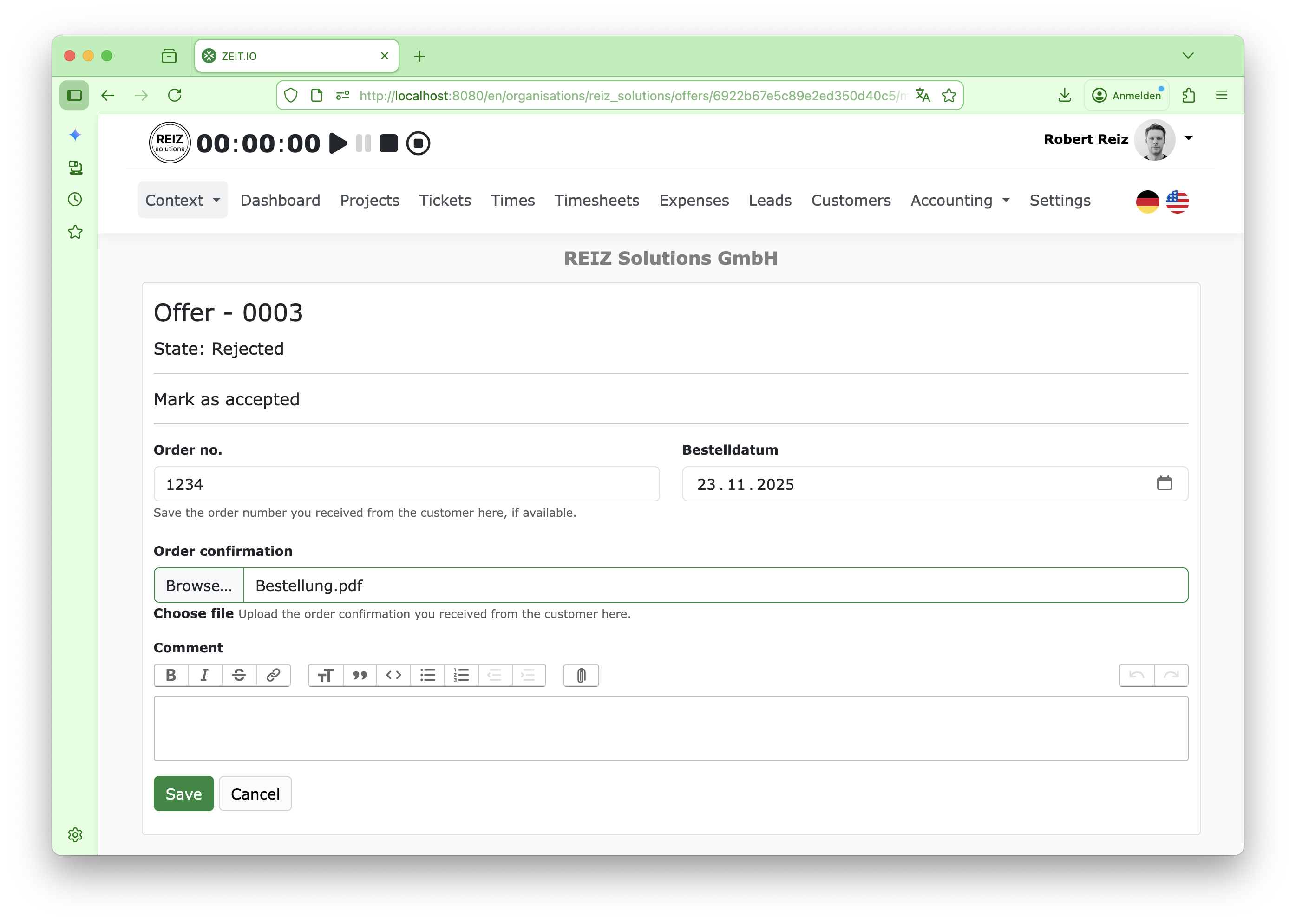 Mark offer as 'won'
The order number is important here. In the detailed view of the offer, the order confirmation is displayed directly below the offer. Here's an example:
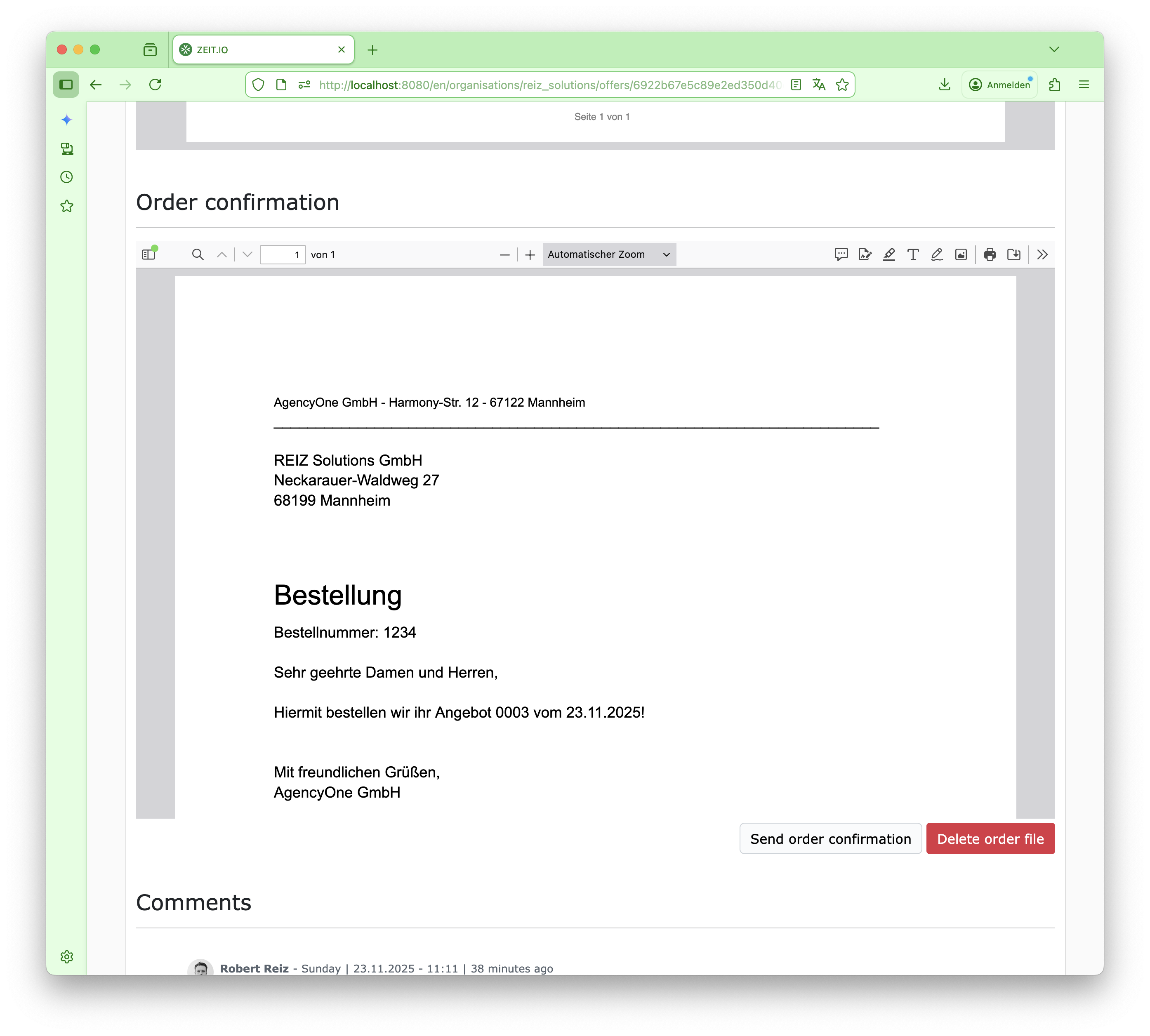 Uploaded order confirmation
If an order number is entered, a "Send Order Confirmation" button will appear below the order confirmation. Clicking this button will immediately generate an order confirmation PDF. This PDF will contain all items from the quote, the entered order number, and confirmation that the order has been accepted. If the PDF was generated correctly, the form for sending it will also be displayed. Here's an example:
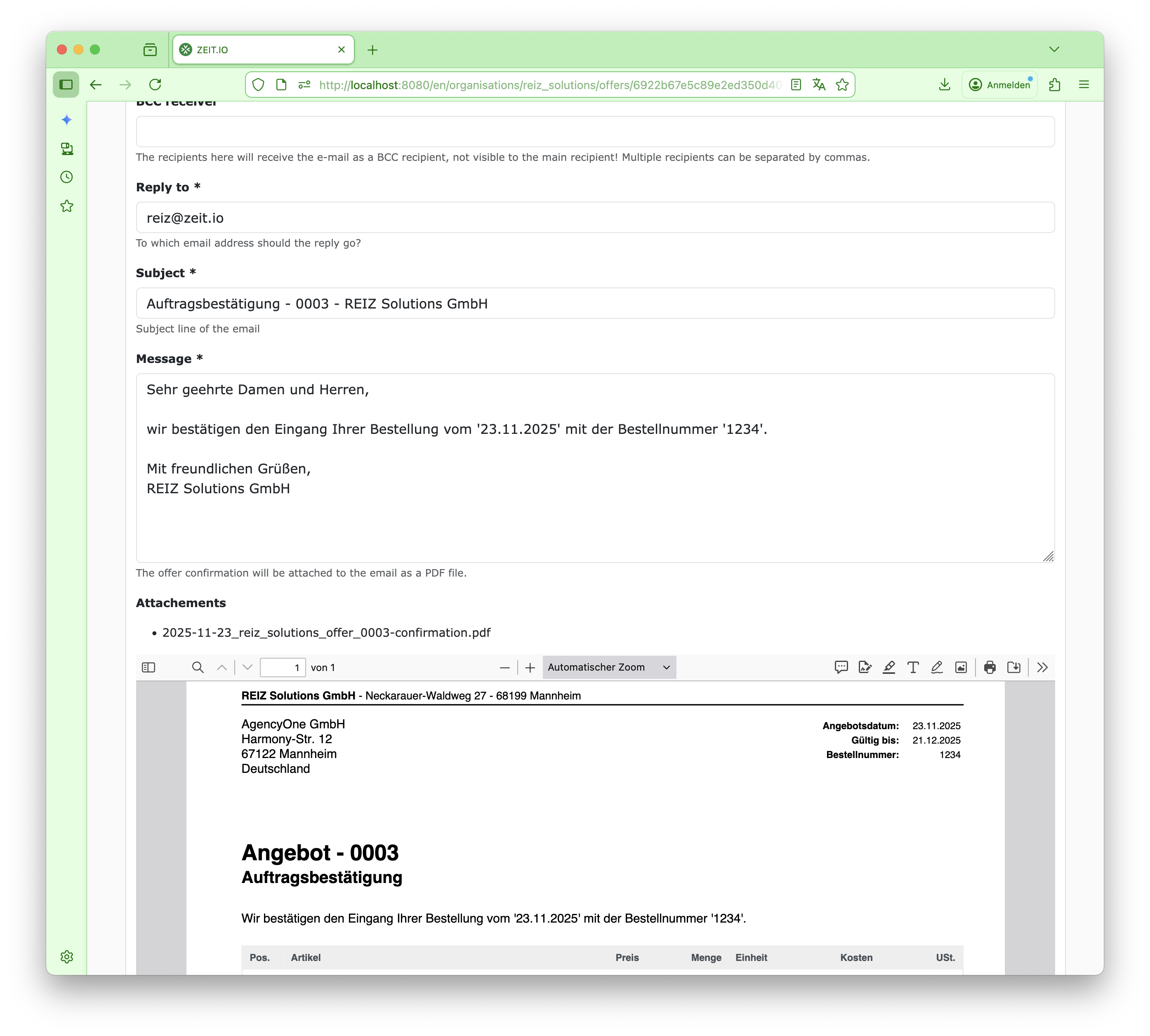 Send out the offer confirmation.
The order confirmation can then be sent directly from ZEIT.IO via email.
This allows you to generate and send an order confirmation with just two clicks.
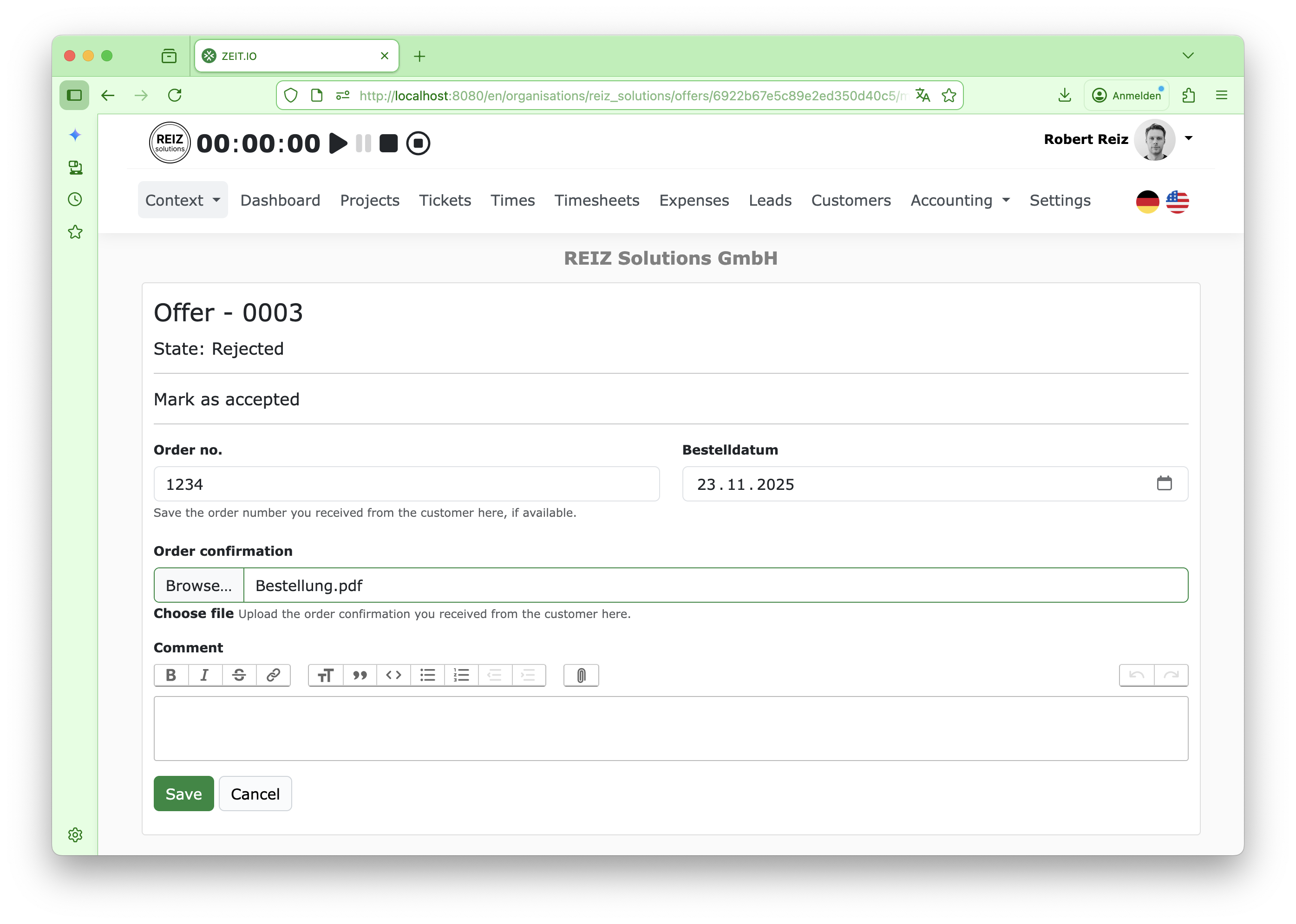 Mark offer as 'won'
The order number is important here. In the detailed view of the offer, the order confirmation is displayed directly below the offer. Here's an example:
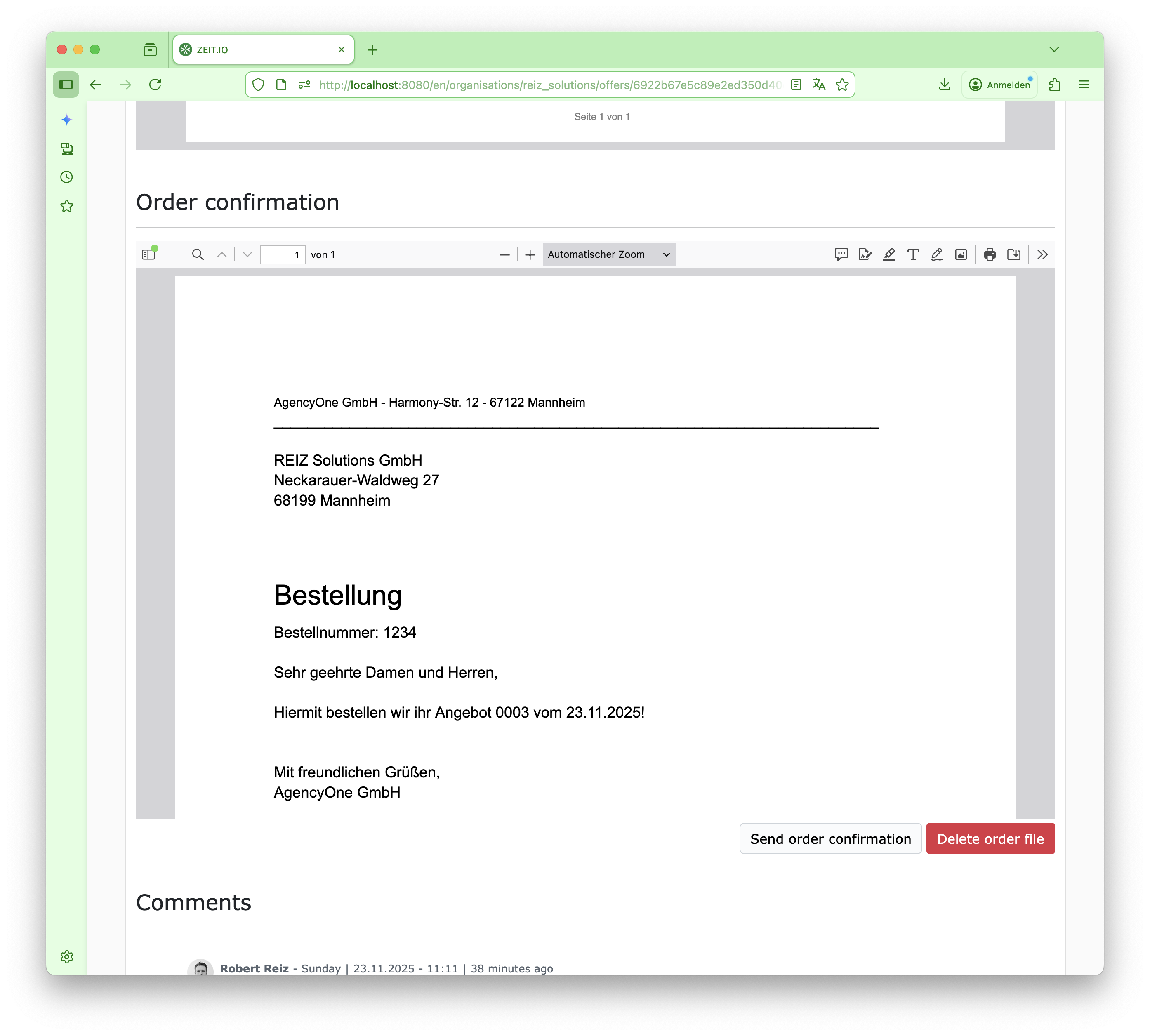 Uploaded order confirmation
If an order number is entered, a "Send Order Confirmation" button will appear below the order confirmation. Clicking this button will immediately generate an order confirmation PDF. This PDF will contain all items from the quote, the entered order number, and confirmation that the order has been accepted. If the PDF was generated correctly, the form for sending it will also be displayed. Here's an example:
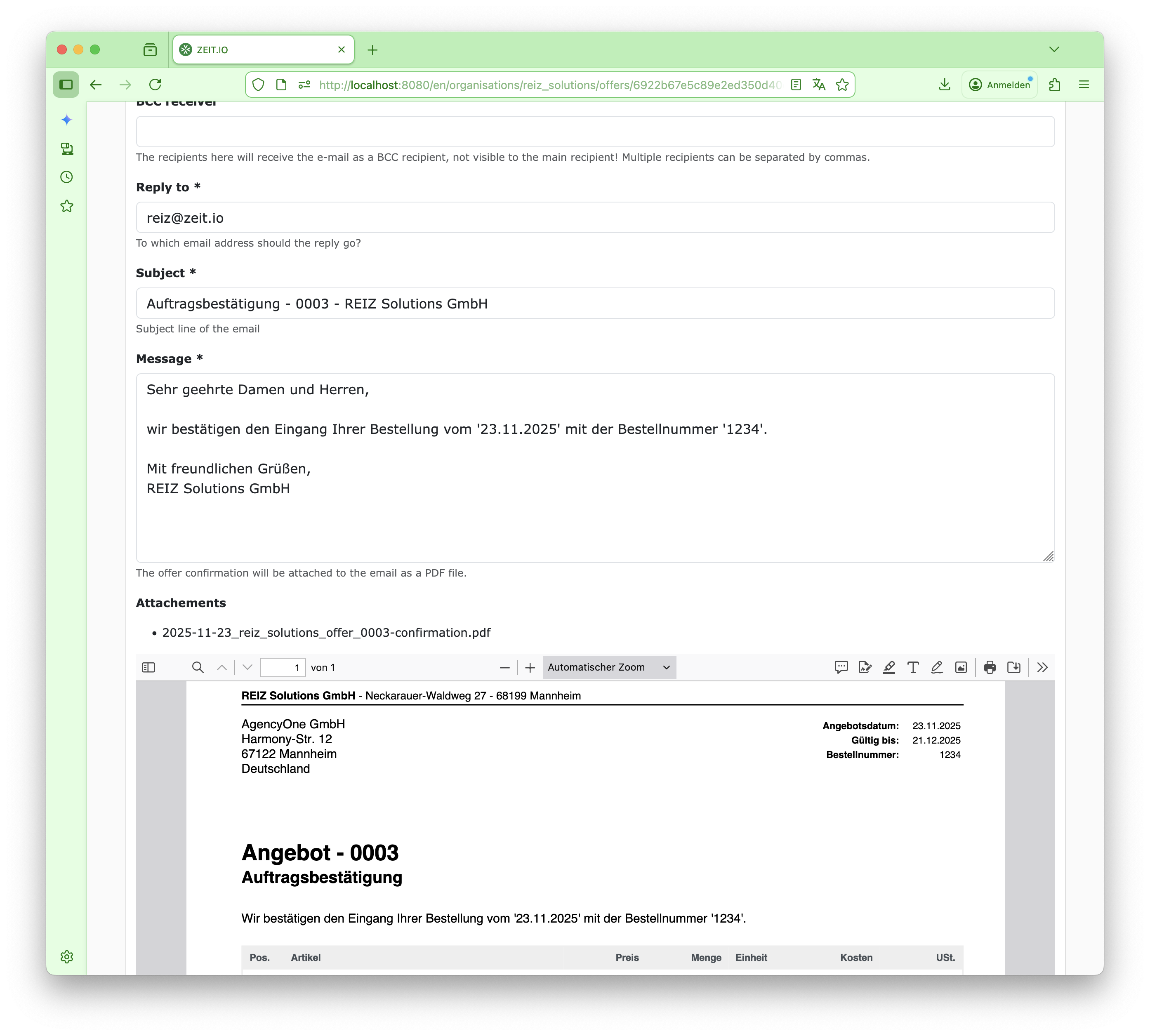 Send out the offer confirmation.
The order confirmation can then be sent directly from ZEIT.IO via email.
This allows you to generate and send an order confirmation with just two clicks.
Conclusion
The chain of offer -> order confirmation -> order confirmation is very well implemented in ZEIT.IO. With just a few clicks, order confirmations can be added and sent.