Payment Runs Without Retyping: The SEPA Export in ZEIT.IO
 Robert Reiz | 31. August 2026 | 06:16 UTC
 It is the 30th of the month. ZEIT.IO holds 40 finalized credit notes for freelancers and 15 approved invoices from suppliers. Now comes the part nobody enjoys: open the banking portal, add the payee, copy the IBAN across, type the amount, fill in the reference. Fifty-five times. Then read all of it twice, because one transposed digit in an IBAN or one misplaced decimal point is expensive — and because nobody is quite certain whether that invoice from Meier Ltd. was already paid last week.
From now on, ZEIT.IO produces a SEPA credit transfer file that you upload to your online banking instead. One upload, one approval, all payments. And, just as importantly: ZEIT.IO remembers which document went out, when, and in which file.
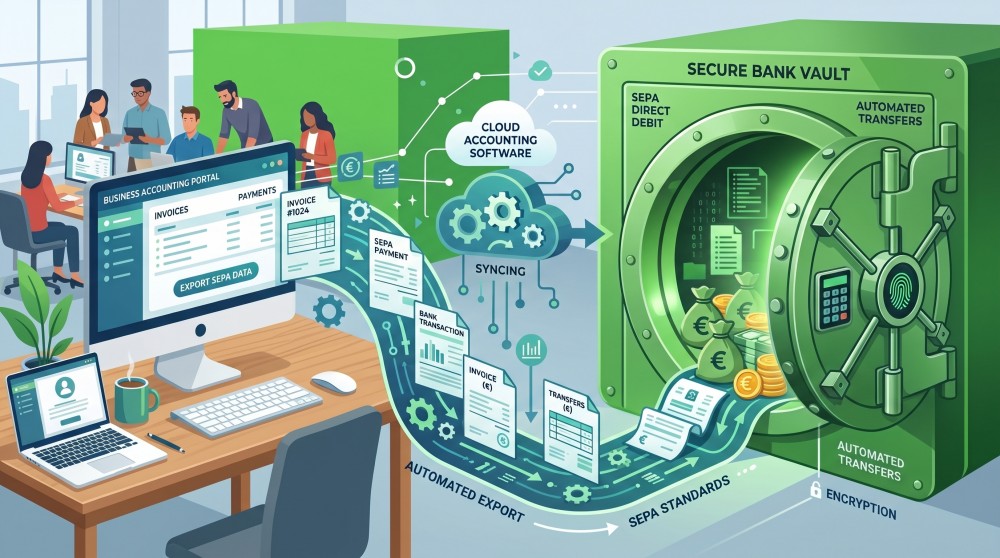
What the export does
ZEIT.IO writes a file in the international ISO 20022 standard (SEPA credit transfer) — exactly the format every European bank accepts for bulk transfers. You upload that file in your banking portal, review the batch there, and release it. ZEIT.IO itself triggers no payment and has no connection to your bank. The final release stays where it belongs: with you and your bank.
Two kinds of document can be paid this way:
- Credit notes — the self-billing statements you issue to your freelancers.
- Incoming invoices — the invoices your suppliers sent you.
Both work identically. You will find the export links at the bottom right of each list, right next to the CSV export you already know.
Two formats to choose from
There are two links because the standard exists in two common editions:
| Format | When you need it |
|---|---|
| pain.001.001.03 | The established edition. Austrian banks still require it. |
| pain.001.001.09 | The current ISO edition. |
The two files say the same thing — the same payments, written in a different technical notation. If you do not know which one your bank expects, start with pain.001.001.03. If it is rejected, export the same selection again as pain.001.001.09.
The flow: filter, review, download
1. Filter. The export pays exactly what your list is currently showing — not the first page, but the complete filtered result. So you can assemble a payment run deliberately: one supplier only, one delivery month, one project. Every filter the list honours is carried through into the file.
2. Review. Clicking an export link does not download anything. It opens a review page first, showing:
- Pay from — which of your bank accounts is debited. If you have several IBANs on file, you choose here.
- The documents going into the file — recipient, IBAN, document number and amount.
- Transactions and total — the control figures your bank will display as well.
- Not included — every document in your filtered selection that will not be transferred, with a reason.
- Warnings, if any of it has been exported before.
3. Download. Only the download button on that page creates the file. It is named something like sepa-pain-001-001-03-20260831-142317.xml and carries the day of the export as its requested execution date.
The intermediate step is deliberate. A payment file is never created in ZEIT.IO by a single click from a list view.
What gets left out — and why
No document disappears quietly. Anything ZEIT.IO sets aside is listed on the review page under "Not included", with its reason:
| Reason | What it means |
|---|---|
| not finalized | The credit note has not been finalized yet. |
| not approved | The incoming invoice has not been reviewed and approved. |
| cancelled | The document is cancelled. |
| is a cancellation | A cancellation document is never transferred. |
| no IBAN on the recipient | No IBAN, no transfer. |
| not in EUR | The SEPA export handles euro payments. |
| already paid | The invoice is already marked as paid. |
| nothing left to pay | Partial payments already cover the amount in full. |
Two points are worth spelling out:
Partial payments are taken into account. What gets transferred is not the gross amount but the amount still open. A supplier who was already paid €500 up front appears in the file with the remainder.
A missing BIC is not a blocker. Within the SEPA area, routing happens on the IBAN; the BIC is optional. Only the IBAN is mandatory.
Skonto is deducted automatically
If a credit note carries a skonto (early payment discount) and the export day falls inside the discount window, ZEIT.IO transfers the already reduced amount. The review page says so explicitly, underneath the figure:
€1,190.00 minus €23.80 skonto
If the export day falls after the deadline, the full amount goes out. So there is nothing to switch and nothing to recalculate — the number on your screen is the number written into the file.
Three safeguards against paying twice
This is the heart of the feature. A payment file moves real money, and the expensive mistake is the second export of the same documents.
First, per document. Every exported document is marked as exported — with a timestamp, an export count and the file identifier. If such a document shows up in a later payment run, a red warning sits at the top of the review page: "Warning: these credit notes were exported before", along with "already exported 1 times" and the date of the last export. The document's audit log records the export as well.
Second, for the selection as a whole. If this exact set of documents has been exported before, ZEIT.IO says so with the date and the file identifier: "It went out on 2026-08-30 14:23 in file SEPA-20260830-142317-A7K2M9." The first download attempt is refused and you land back on the review page. If you genuinely want the file a second time — because the upload to the bank failed, say — you click again and the download proceeds. Warn once, then allow.
That check runs on the server, not in the browser. So it also catches a page reload, a different machine, and a colleague repeating the same payment run.
Third, the selection must not change underneath you. Minutes can pass between opening the review page and clicking download — minutes in which someone approves an invoice or records a payment. So ZEIT.IO reassembles the selection at download time and compares the count and the total against what you were shown. If anything differs, there is no file, only a freshly calculated review page. What you approve is always what ends up in the file.
The audit trail: the "SEPA exports" page
Once the first payment run has gone out, a third link appears next to the export links: SEPA exports. Behind it is the complete history, kept separately for credit notes and incoming invoices:
| Date | User | Format | File | Transactions | Total |
|---|
Clicking a row expands it to show every document that was in that file, with its number and the amount actually transferred.
This point matters for accounting: the expanded rows are a snapshot taken at export time, not a live view of the document. If that same invoice is later cancelled, receives a partial payment, or its skonto window lapses, the history does not change. What was actually instructed for payment on that day, in that file, stays on the record.
The XML file itself is not archived — what is stored is the metadata, not the document. So there is no re-download from the history. Treat the file you downloaded like a bank document.
The new "SEPA export" filter
Both lists now carry a filter with three settings: all, not exported, exported.
For the monthly run, "not exported" is the obvious setting — it shows exactly what has not been instructed yet, and rules out double payments before you even reach the review page. "Exported" answers the opposite question when accounting asks: what went out this month?
Documents created before this feature existed count as not exported and appear correctly in the filter.
Who is allowed to do what
The split follows a simple idea: the people who review payments do not have to be the people who can make them.
- Exporting — the two format links and the download — requires write permission on that document type.
- Viewing the history requires read permission only.
A member with read-only access — your auditor, an external bookkeeper, a controller — therefore sees the "SEPA exports" link and the full payment history, but no way to produce a file.
What ZEIT.IO handles in the background
A few details that stay invisible day to day, but are the reason the file passes at the bank:
Umlauts and special characters. SEPA permits only a restricted character set. A single "ü" in a recipient name can cause a bank to reject the entire file. ZEIT.IO transliterates automatically (ä→ae, ö→oe, ü→ue, ß→ss) and strips anything the standard does not allow.
Control figures. The number of transactions and the control sum are always computed from the payments actually written, in whole cents. The individual rows are therefore guaranteed to add up to the control sum — the most common cause of a rejected bulk file.
Supplier addresses. A credit note carries the recipient's address with it. An incoming invoice often does not. So ZEIT.IO looks for the address in turn: on the stored supplier record, on the organisation member, and via the associated timesheet. Only a complete address counts; a half-filled one is skipped, so that it cannot displace a complete address further down the chain.
What the export does not (yet) do
For completeness:
- No bank connection. ZEIT.IO produces the file; the release happens in your banking portal.
- Euro only. Documents in other currencies are skipped, with a reason.
- No custom part payments. What is transferred is the open amount, not a freely chosen share of it.
- No re-download of a file that was already produced.
- No direct debits. This is about credit transfers only.
A recommended month-end routine
- Finalize the credit notes and approve the incoming invoices — only released documents enter a payment run.
- Filter the list and set the SEPA export filter to not exported.
- Click an export link and read the review page: do the total and the count match? Is anything under "Not included" that should have been paid?
- Download the file and upload it in your banking portal.
- After the bank has released it, mark the documents as paid in ZEIT.IO.
Step 5 is not a formality. It is what brings your open items back in line — the export records that payment was instructed, not that the bank executed it.
Questions?
If you are unsure which format your bank expects, or you would like to walk through the first payment run together, write to us at support@zeit.io.