Multiple API keys with their own permissions
 Robert Reiz | 02. Oktober 2026 | 10:05 UTC
 Until now, every organisation in ZEIT.IO had exactly one API key – and that key could do everything: read and write invoices, create customers, book time, change settings. For a single integration, that's fine. But as soon as several systems talk to ZEIT.IO, it gets awkward. The BI tool that only needs to analyse invoices gets the same key as the accounting software that creates them. And if you want to give a service provider access for a few weeks, you have to remember to replace the key afterwards – and then update it in every other integration as well.
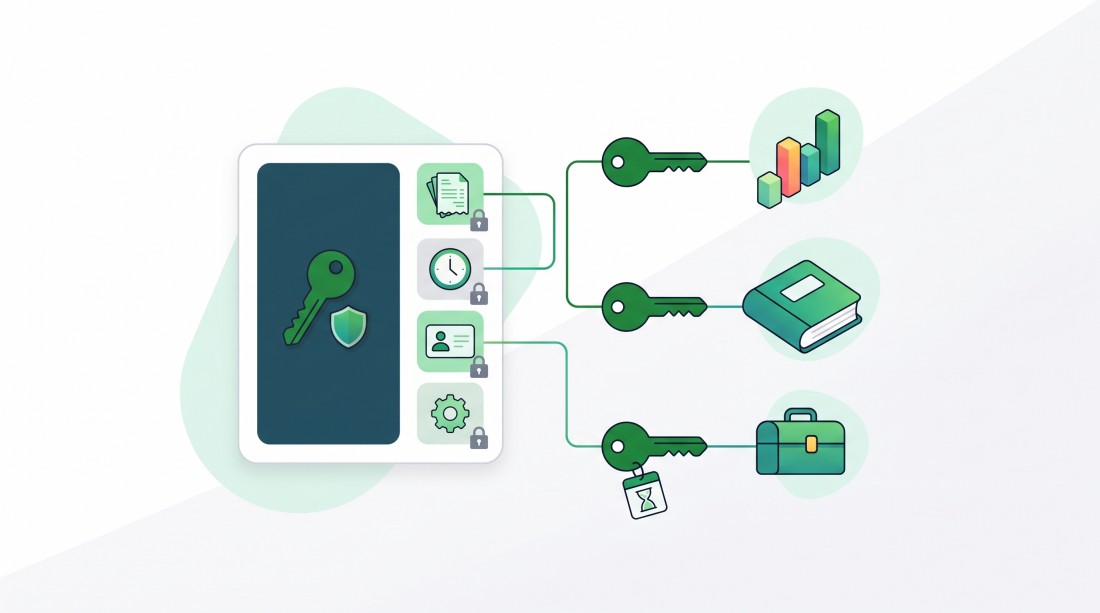
With this release, you create a separate API key for each integration – with exactly the permissions it needs.
What's new?
Under Settings → API Keys you now find a list of all API keys of your organisation. Use "Add API key" to add as many more as you like. Each key has:
| Property | Meaning |
|---|---|
| Name | A unique name within the organisation, e.g. "Reporting" or "Accounting" |
| Description | Optional – what the key is for and who uses it |
| Active | A deactivated key is rejected by the API immediately |
| Expiry date | The key is valid up to and including this day |
| Never expires | The key never expires |
| Default | The key for ZEIT.IO's internal use – it is never handed to third parties |
| Permissions | The same permissions you give to members of your organisation |
Permissions just like a member
The heart of this release: every API key has its own permissions. The form shows the same checkboxes you know from the members of your organisation – times, projects, customers, invoices, expenses, contracts, settings and so on, each split into read and write.
A request through the API may do exactly what its key may do. A key that may only view outgoing invoices can fetch invoices, but cannot create any, cannot change customers and cannot see time records. If it asks for anything else, the API rejects the request.
So the same principle applies to API keys as to people: every integration only gets the access it really needs. Should a key ever be compromised, the possible damage is limited to its permissions.
A new key comes with the Administrator permission pre-selected, so it works right away. We recommend replacing it with the specific permissions the integration needs before you save.
Expiry date or never expires
By default, a new API key is valid for 90 days. You can pick any expiry date – handy, for example, for a service provider who only needs access for the duration of a project. Once the date has passed, the API rejects the key automatically, without you having to remember it.
If a key should stay valid permanently, for example for a fixed interface, tick "Never expires" right below the expiry date. The date field is then greyed out. One of the two has to be chosen: a key without an expiry date that is not marked as never expiring cannot be saved. That way, no key ends up valid forever by accident.
The list shows at a glance how long each key remains valid. Expired keys are marked in red.
The default API key
Every organisation has exactly one default API key. It is marked with a grey "Default" badge in the list.
The default API key is reserved for ZEIT.IO itself: we only use it internally, and only when necessary. It is never handed to third parties – not even to connected partners.
So that ZEIT.IO can rely on it, the key is specially protected: it can neither be deleted nor deactivated. If you want to make another key the default, tick "Default" on that key – the previous default key gives up the flag automatically.
Everything at a glance: active, last used, calls
For each key, the list shows what you need to keep things tidy:
- Name and description, with a green "active" or a red "disabled" badge below
- Expiry date – or "unlimited"
- Last used – date and time of the last API call made with this key, in your time zone
- Calls – how many API requests have been made with this key in total
- The key itself – masked, with "show" and a button to copy it to the clipboard
The two new columns Last used and Calls are especially useful for clean-ups. A key that hasn't been used for months probably belongs to an integration that no longer exists – and can be deactivated or deleted. If a key shows "never", it was created but never put to use. And if the number of calls of a key suddenly jumps, you see right away which integration is responsible.
A complete audit trail
Every change to an API key is recorded in your organisation's audit log: its creation, its deletion and every changed property individually with its old and new value – down to each single permission. The key itself never appears in the log.
And your existing API key?
It keeps working as before. We have already converted it: it is now called "Default", is your default API key, has the Administrator permission and never expires. Your existing integrations therefore keep running without interruption. There's nothing you need to do.
We still recommend a look at the list: from now on, the default API key is meant for ZEIT.IO's own use only. If you have entered it in your own integrations so far, now is a good time to give each integration its own key with matching permissions.
How it works
- Open Settings → API Keys
- Click "Add API key"
- Enter a name and a description
- Pick an expiry date or tick "Never expires"
- Select the permissions the integration needs
- Save – then copy the key into your integration using the copy icon in the list
The page is available to the administrators of your organisation.
At a glance
| Before | After |
|---|---|
| One API key per organisation | Any number of API keys, one per integration |
| Every key can do everything | Every key has its own permissions |
| Time-limited access only by replacing the key manually | Expiry date per key, 90 days by default |
| No overview of usage | "Last used" and number of calls per key |
| Key could only be renewed | Create, edit, deactivate and delete keys |
Questions or feedback? Write to us at support@zeit.io – we're happy to help.