Your invoices now speak your customer's language
 Robert Reiz | 13. August 2026 | 07:51 UTC
 It's the 2nd of the month, the outgoing invoices have gone out. Two days later, an email arrives from Rotterdam: "Could you please resend the invoice in English? And what does 03.04.2026 mean – March 4th or April 3rd?"
Both are fair questions. And both come from the same root cause: the invoice was created in the language and date format of the person who wrote it – not of the person who has to read it.
Until now, language and date format were tied to the user in ZEIT.IO. When a German colleague created an invoice, it came out in German with a German date format. When an English-speaking colleague created the very same invoice, it came out in English. The recipient played no part in it – even though the recipient is the only one who matters.
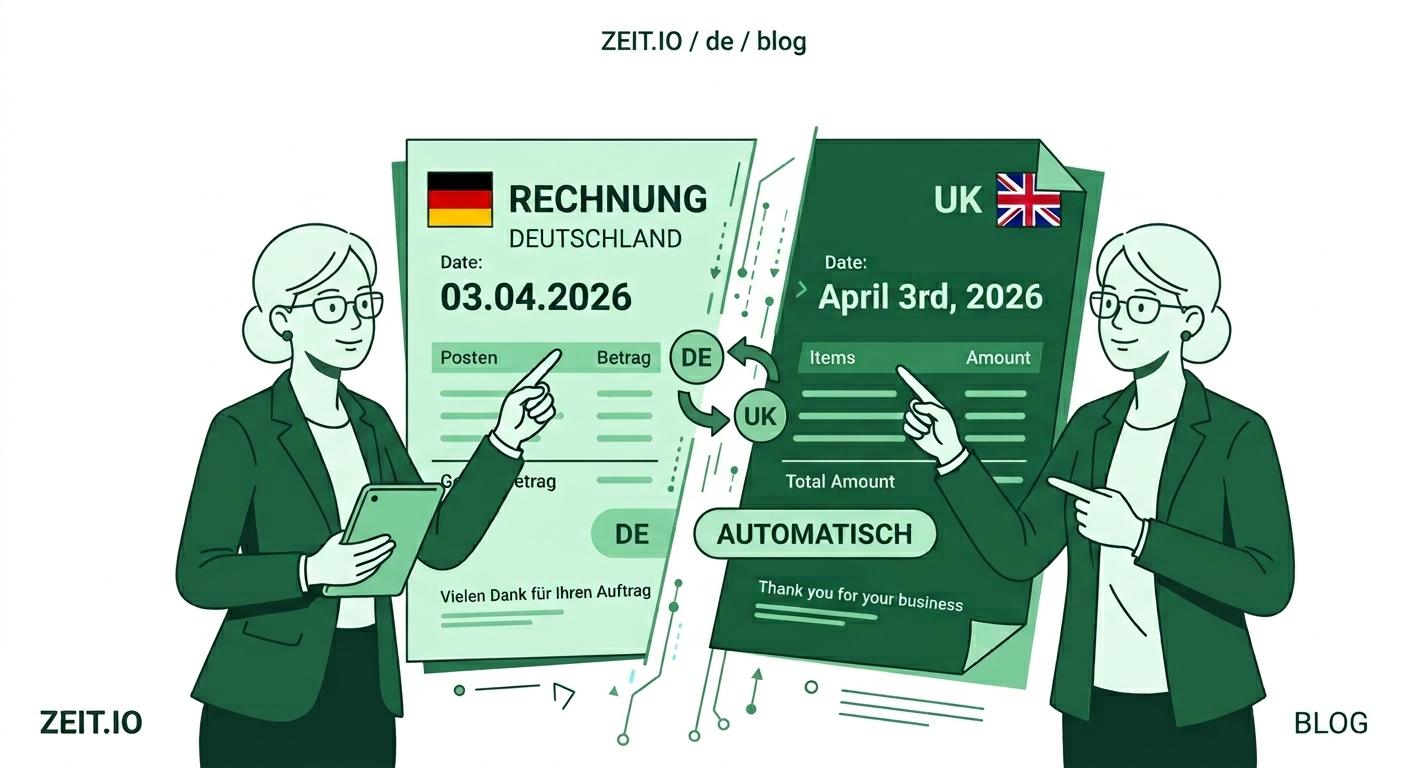
From now on, language and date format belong to the customer.
What's new?
Your customer master data has two new settings in the Invoice dispatch section:
- Language – German or English
- Date format – four options
| Setting | Rendering | Typical use |
|---|---|---|
| Logical | 2026.04.03 | international, sortable, unambiguous |
| German | 03.04.2026 | Germany, Austria, Switzerland |
| UK | 03/04/2026 | United Kingdom, much of Europe |
| USA | 04/03/2026 | United States |
What you store here is not a note or a reminder. It is the rule ZEIT.IO applies automatically to every invoice you send to this customer.
The real point: it works on its own
A setting you have to remember while writing an invoice isn't an improvement – it's just one more place to forget something. That's why the customer setting takes effect by itself in both places:
In automated invoicing. When ZEIT.IO creates an auto-invoice configuration for a project, it takes the language and date format from that project's customer. When month-end billing then runs automatically, the invoice comes out in the right language – with nobody stepping in. That is exactly the point of automated billing: it runs when no one is watching.
In manual invoicing. Pick a customer in the invoice form and the Language and Date format fields switch to that customer's values immediately. So you can see how the invoice will come out while you're still creating it – and you can still deviate in an individual case. The fields stay editable; the customer setting is a default, not a lock.
Right down to the individual contact
In practice, one setting per customer isn't always enough. A corporate group headquartered in Zurich has its accounting team in Frankfurt and a shared service centre in Dublin. Same customer, three recipients, not the same language.
That's why language and date format can be stored at three levels:
- on the customer
- on the department
- on the contact person
The rule is as simple as you'd expect: the more specific setting wins. If a department or contact person is assigned to the invoice, their language and date format apply. If none is assigned, the customer's setting applies.
For the example above: the customer is set to German, while the "Shared Services Dublin" department is set to English with the UK date format. Invoices to that department go out in English, everything else in German. Without anyone having to remember it.
The same logic applies to automated invoicing: if a contact person or department is assigned to the project, the auto-invoice configuration takes their values – otherwise the customer's.
Introduction and payment terms switch along
An invoice is more than numbers. There's an introductory text above the line items and payment terms below them. Both are prose – and an English invoice with German payment terms underneath doesn't look careful.
When you change the language in the invoice form, ZEIT.IO now swaps both texts for your organisation's default texts in the new language.
With one exception that mattered to us: if you edited the text by hand, ZEIT.IO asks first. Anyone who took the trouble to write a custom introduction for this one invoice shouldn't lose it to a click on a language dropdown. Only unmodified default texts are replaced silently.
Import, export and API
Anyone maintaining more than a handful of customers doesn't want to click through this one record at a time. Both fields are therefore available everywhere customer data moves in bulk:
- CSV export – language and date format appear as additional columns in the exports for customers, departments and contact persons.
- CSV import – the same columns are read on import. The usual route: export, fill in the spreadsheet, load it back.
- REST API – the
languageanddate_formatfields can be set and changed via the API for customers, departments and contact persons. For everyone maintaining master data from a leading system.
And it stays traceable
Language and date format are settings that become visible on the document. Changes to them are therefore recorded in the audit log – at all three levels as well as on the invoice itself. If someone asks six months from now why an invoice suddenly went out in English, the answer is in the log with a timestamp and a user name.
What changes for you – and what doesn't
The default for new and existing customers is German with the date format DD.MM.YYYY. So if you do nothing, nothing about your invoices changes.
Where it gets interesting is wherever you correct things today: the customers abroad, the English-speaking accounting department of a German group, the department where you switch the language every single time before hitting save.
A suggestion from practice: go through your customer list once and set the right values before the next billing run starts. It's a twenty-minute job – and from then on it takes care of itself every month.
At a glance
| Before | After |
|---|---|
| Language and date format tied to the user | Tied to the recipient of the invoice |
| Different result depending on who created it | Same result, no matter who bills |
| Auto-invoicing always in the default language | Auto-invoicing in the customer's language |
| One setting per organisation | Separate per customer, department and contact person |
| Introduction and payment terms adjusted by hand | Switch automatically with the language |
| Maintained one record at a time in the UI | Also via CSV import/export and REST API |
An invoice is the document your customer reads most reliably. Which makes it the document they use to judge how carefully you work.
An invoice the recipient understands without asking gets paid faster. That's not a detail – that's cash flow.